Chemical Structure Drawing
Product update
Today we’re launching chemical structure drawing in Cypris Q, giving users a new way to start research from the structure itself, not just from text.
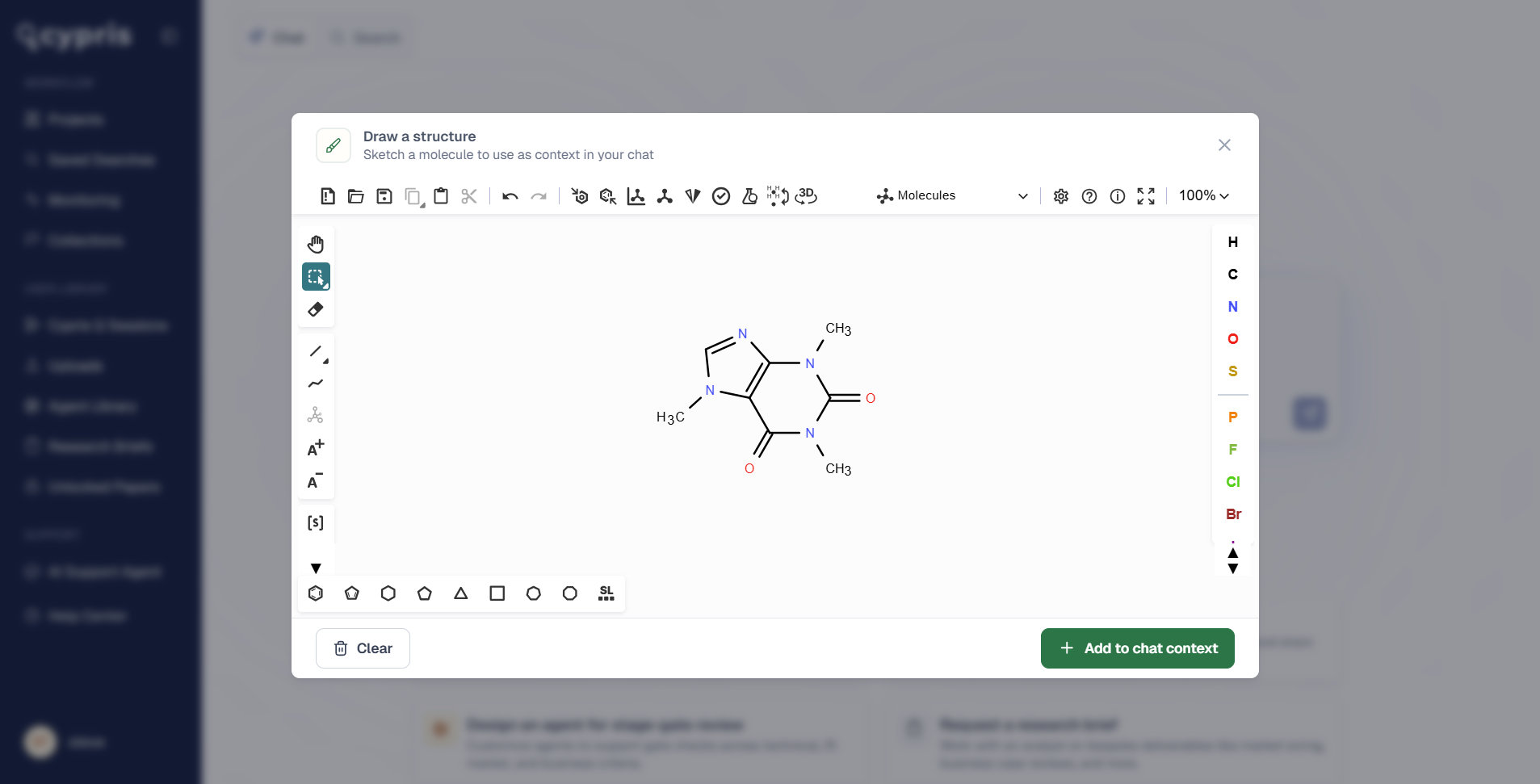
Until now, chemical prompts in Q began with written descriptions, compound names, CAS numbers, or other identifiers. Now, users can draw a compound or reaction directly in the editor, and Q will read the structure, include it in the prompt context, and analyze it through the Cypris Intelligence Layer.
This is an important step forward for chemical, IP, and R&D teams. It brings structure-first reasoning into the same environment where teams already search across patents, papers, regulatory sources, commercial data, and compound intelligence.
Draw compounds and reactions directly in Q
Users can now open the structure editor from the toolbox in Cypris Q and sketch a molecule or reaction on the canvas.
The editor supports atom and bond tools, common ring systems and functional groups, stereochemistry, R-group and S-group handling, and structure clean-up. Users can paste an existing structure or start from scratch, making it easier to move from an idea, molecule, or reaction scheme into a research workflow.
Add multiple structures to a single prompt
Q also supports multiple structures in the same prompt.
This is useful when comparing compounds, evaluating related molecules, working across a reaction, or asking Q to reason over a broader chemical set. Instead of describing each structure in text, users can provide the structures directly and ask Q to analyze them in context.
Verify structures with SMILES and InChIKey
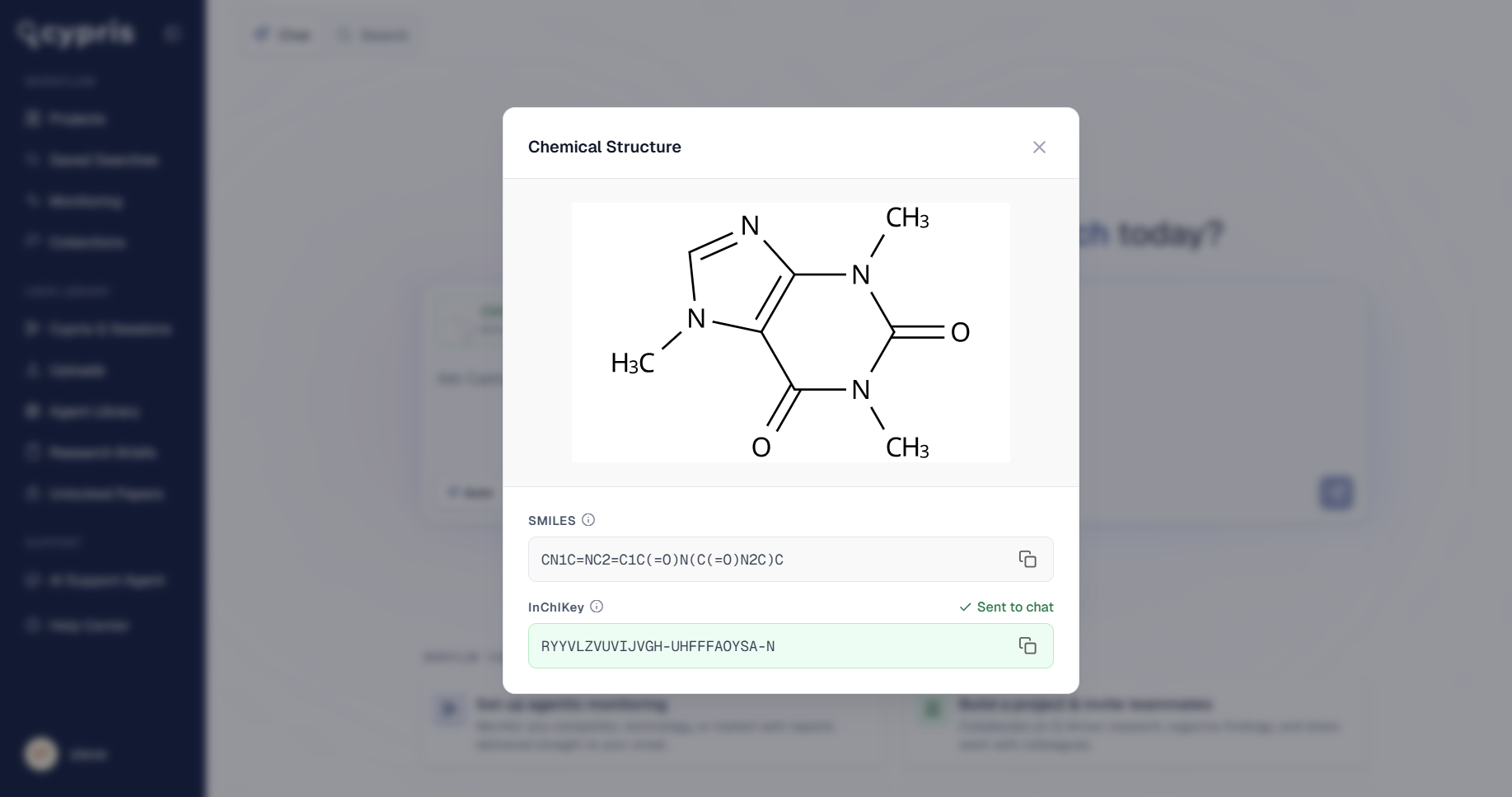
Each drawing is converted into SMILES and InChIKey representations, both visible and copyable in Q.
This gives users a clear way to verify what Q read from the drawing and carry those identifiers into other workflows, databases, or internal systems. It also helps ensure that the structure being analyzed is the one the user intended.
Mapped through the Cypris Intelligence Layer
Once a structure is added to a prompt, Cypris runs it through the Cypris Intelligence Layer.
That means Q can connect the drawn structure to chemical synonym resolution, related compounds, regulatory sources, patents, papers, and commercial intelligence. Rather than treating the drawing as an isolated image, Q understands it as structured chemical context that can be used for deeper research and analysis.
This opens up a new class of workflow for chemical research inside Cypris. Users can now ask questions from the structure outward, using Q to reason across the global landscape surrounding a compound, molecule family, or reaction.
Available now
Chemical structure drawing is available now to all Cypris customers.
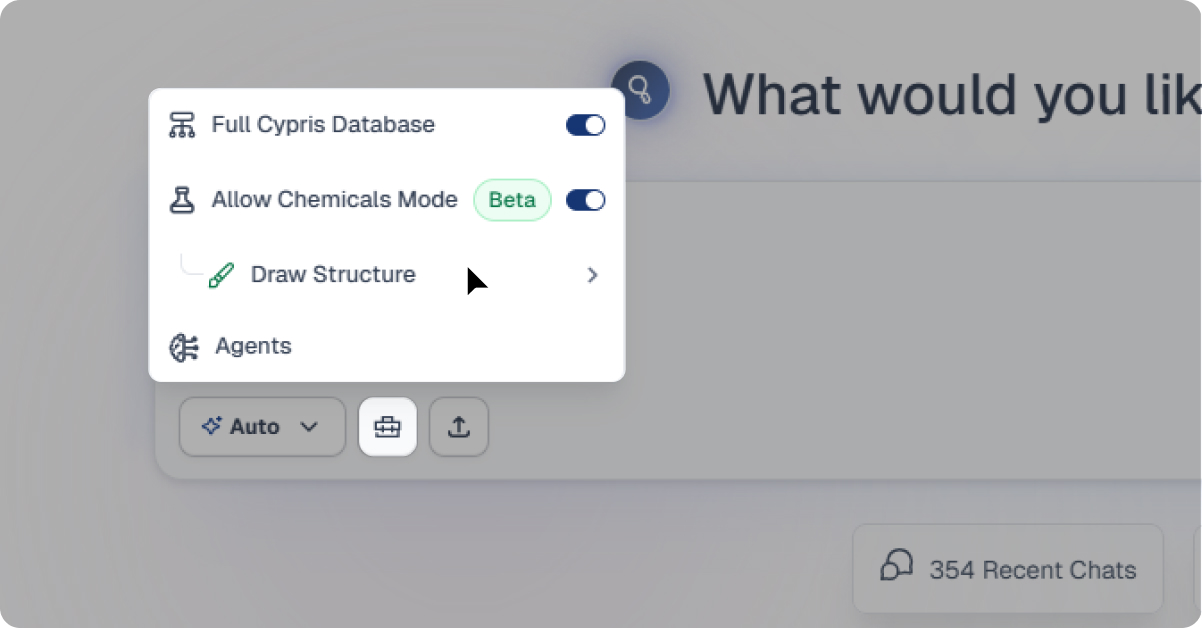
To access it, open Cypris Q, click into the toolbox in the chat window, and select Draw Structure.


Register here
Subscribe to receive the latest blog posts to your inbox every week.