

How we can help?
Popular Articles
Users have the ability to save individual datasets that are not attached to the original search query.
How to Save a Search
Start by performing a technology search.
When the search results populate, the save button will be in the top right corner.

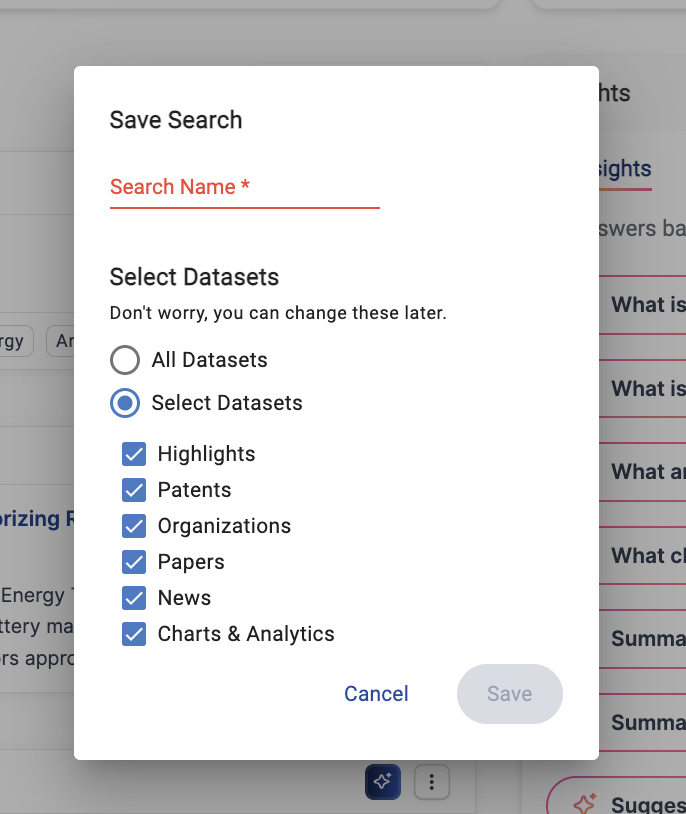
After clicking the Save Search button, users will be prompted to either select, All Datasets or Select Datasets. By selecting datasets, users will have the option to select which datasets they would like to be saved.
Once the search is saved, it will be accessible from the Saved Searches section on the the Homepage.
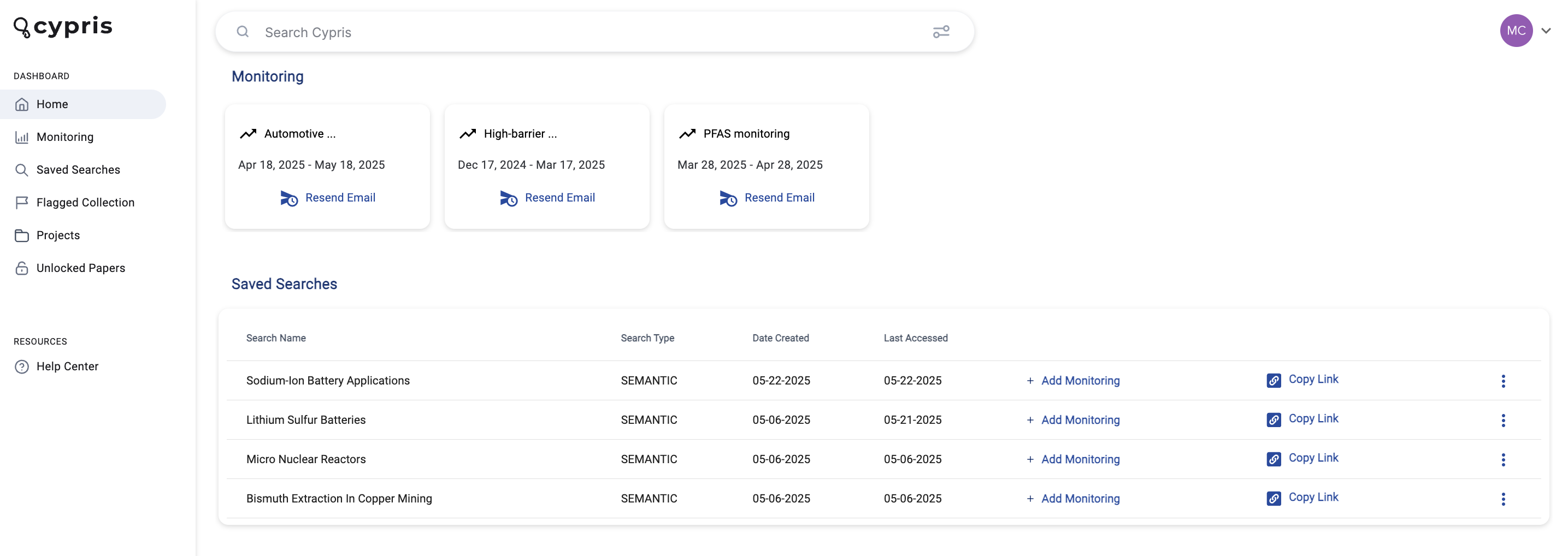
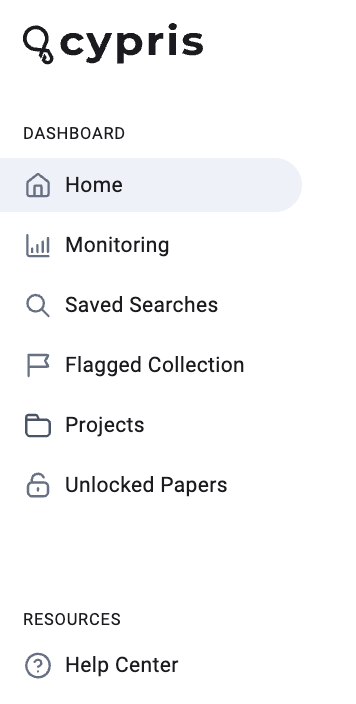
Saved Searches will also be accessible from the Saved Searches tab in the dashboard view.
Flagged Data Collections will give users the ability to gather data points from multiple Saved Searches and store them in one place.
Cypris’s Flagged Data Collections will give allow users to flag the following data points:
- Patents
- Research Papers
- Organizations
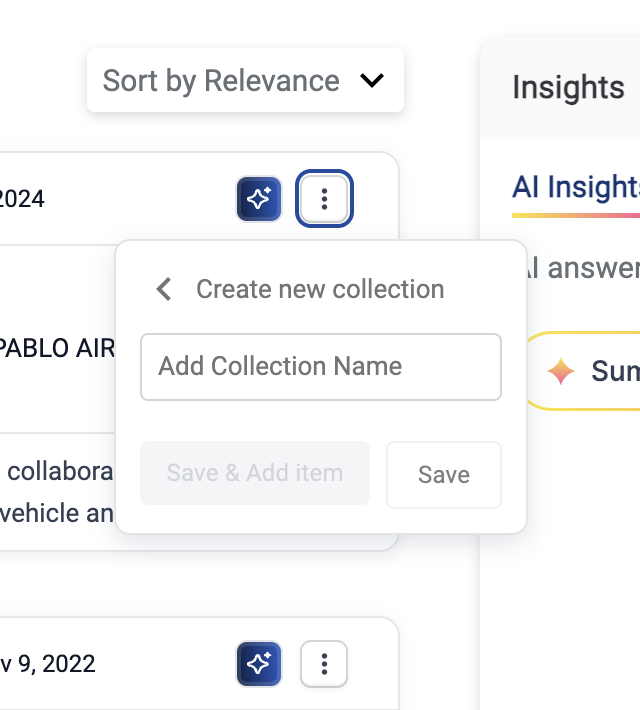
To Flag any data, click on the three vertical docs on the content you'd like to flag. Select "Add to Collection" to add to existing Collections or "+Create New Collection".
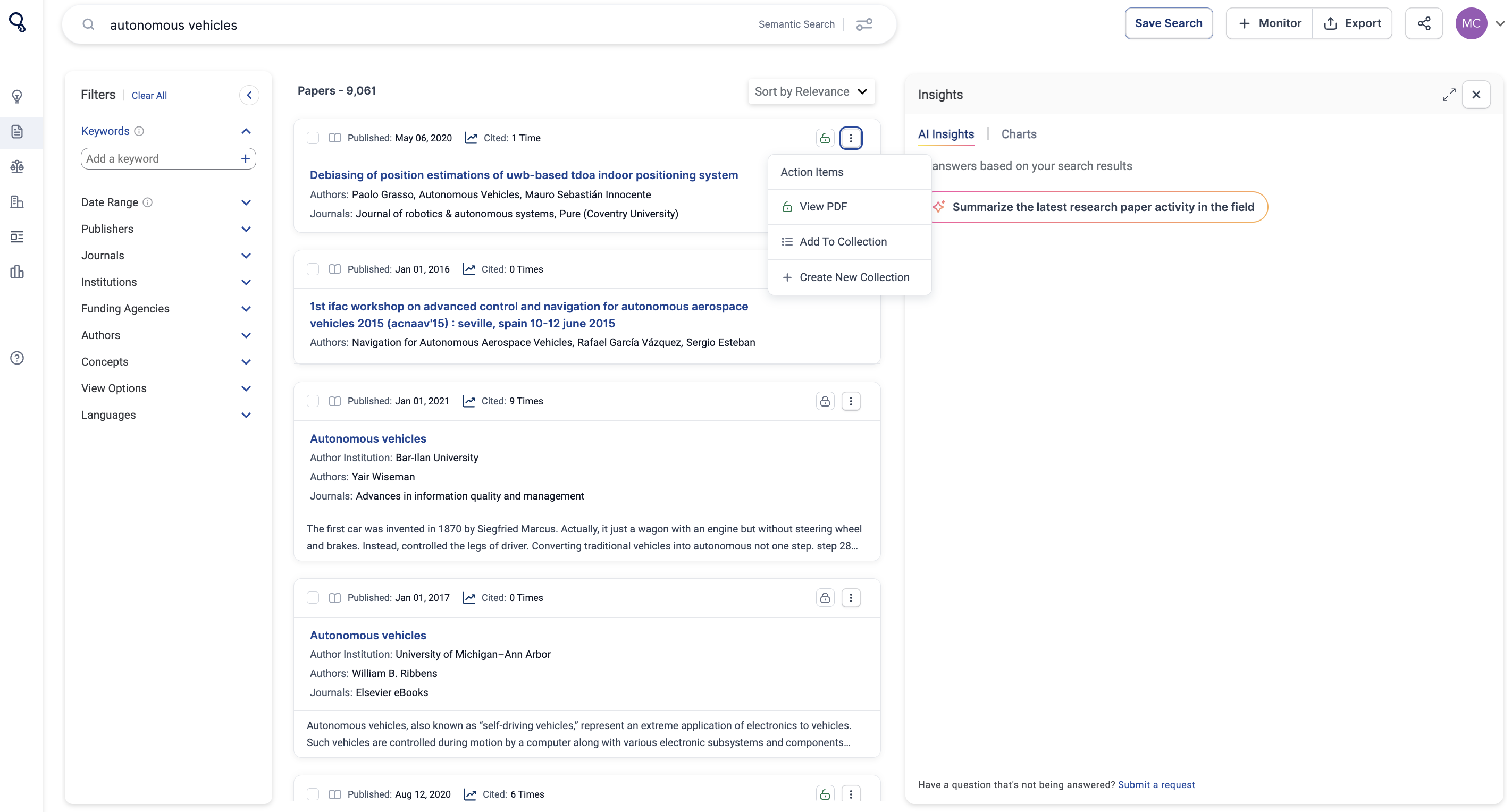
When flagging data, you can create a “Collection” and title each collection in relation to the type of data that you are flagging.
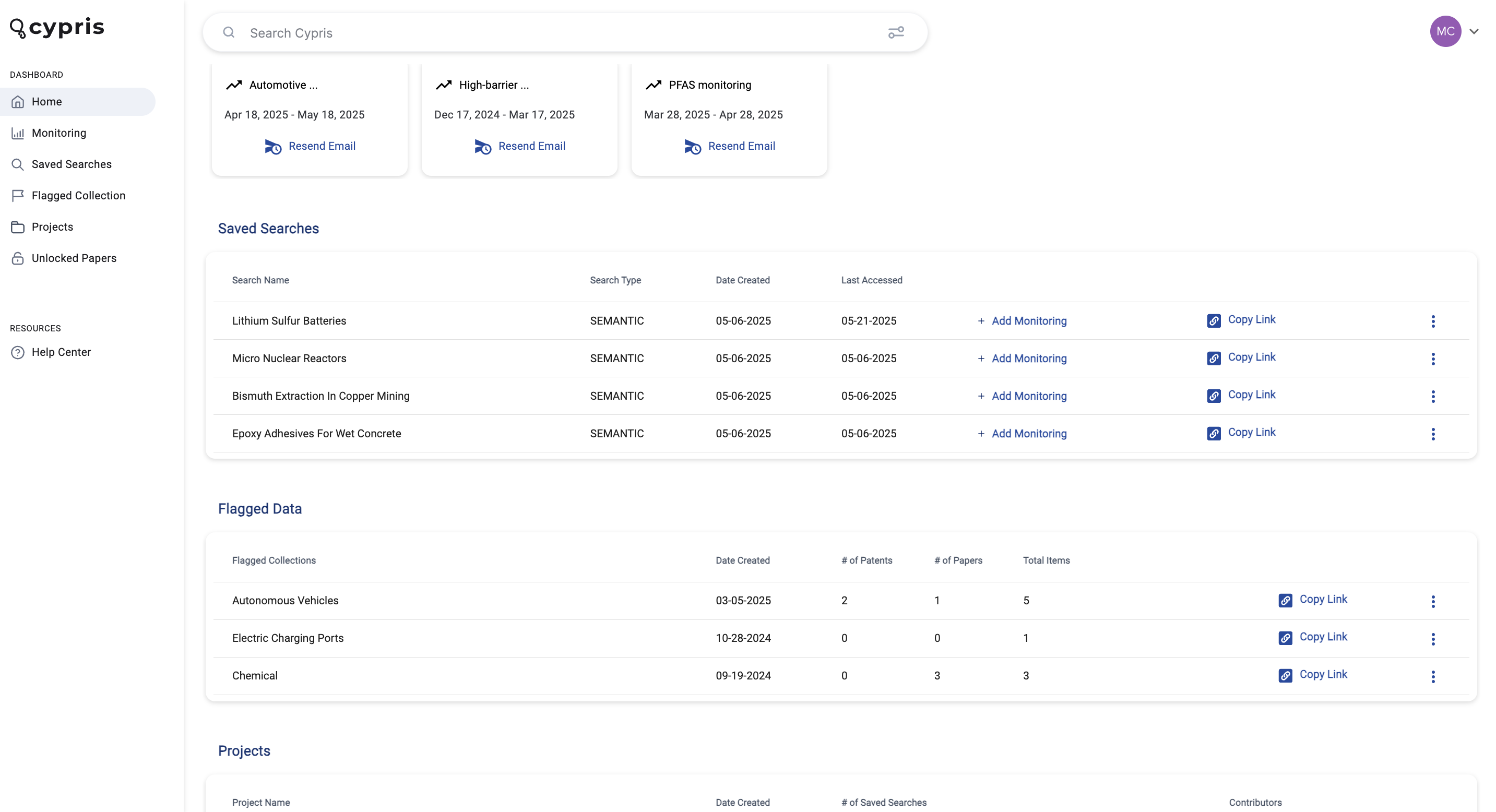
Where Flagged Data is Stored
All flagged data is accessible on the main home screen of the platform at the very bottom. You can create a “Collection” and add each flagged data to a specific collection.
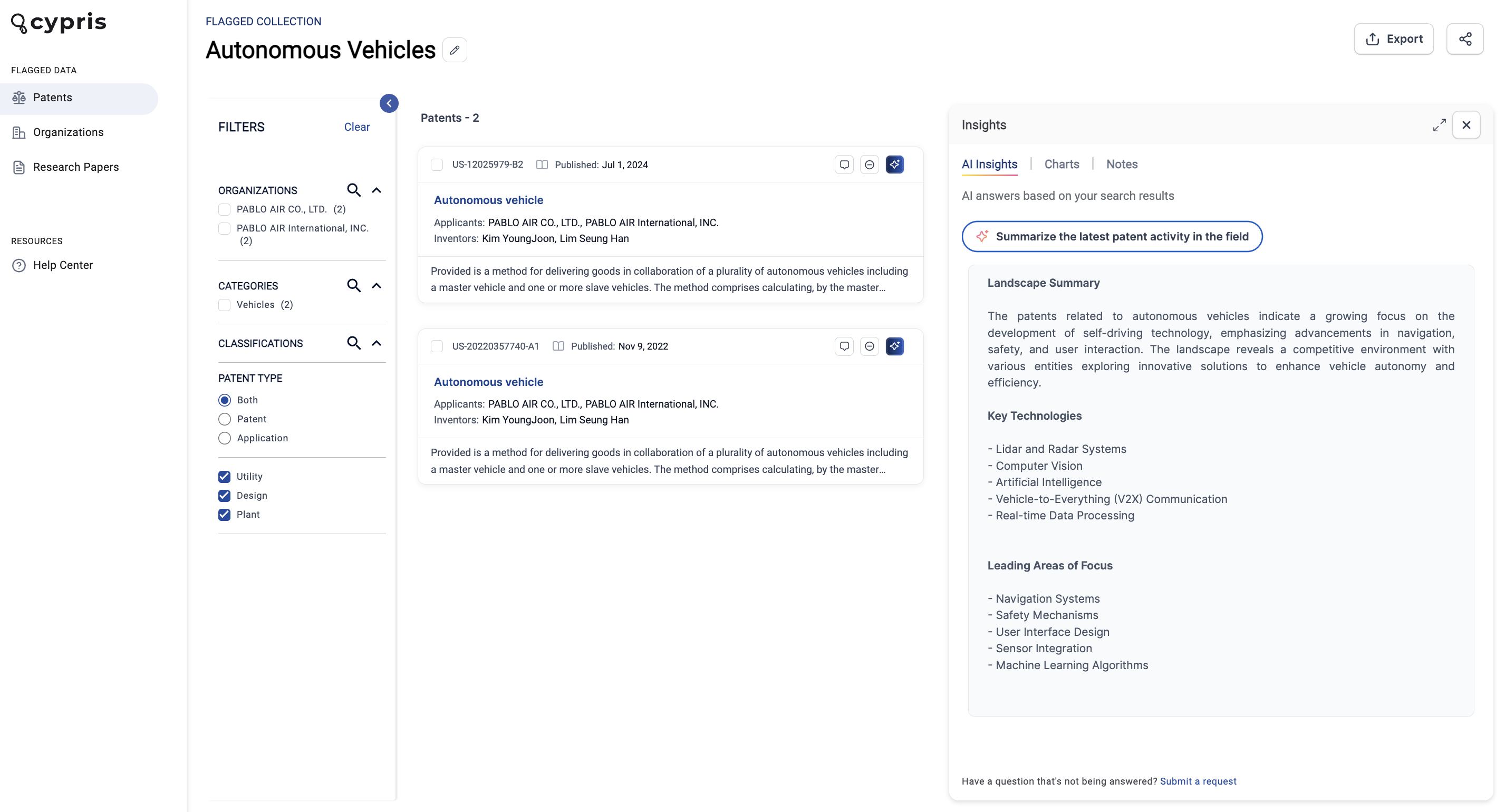
While looking at a specific Flagged Data Collection, it’s important to note that the data will be separated on the sidebar.
AI Insights Across Flagged Data
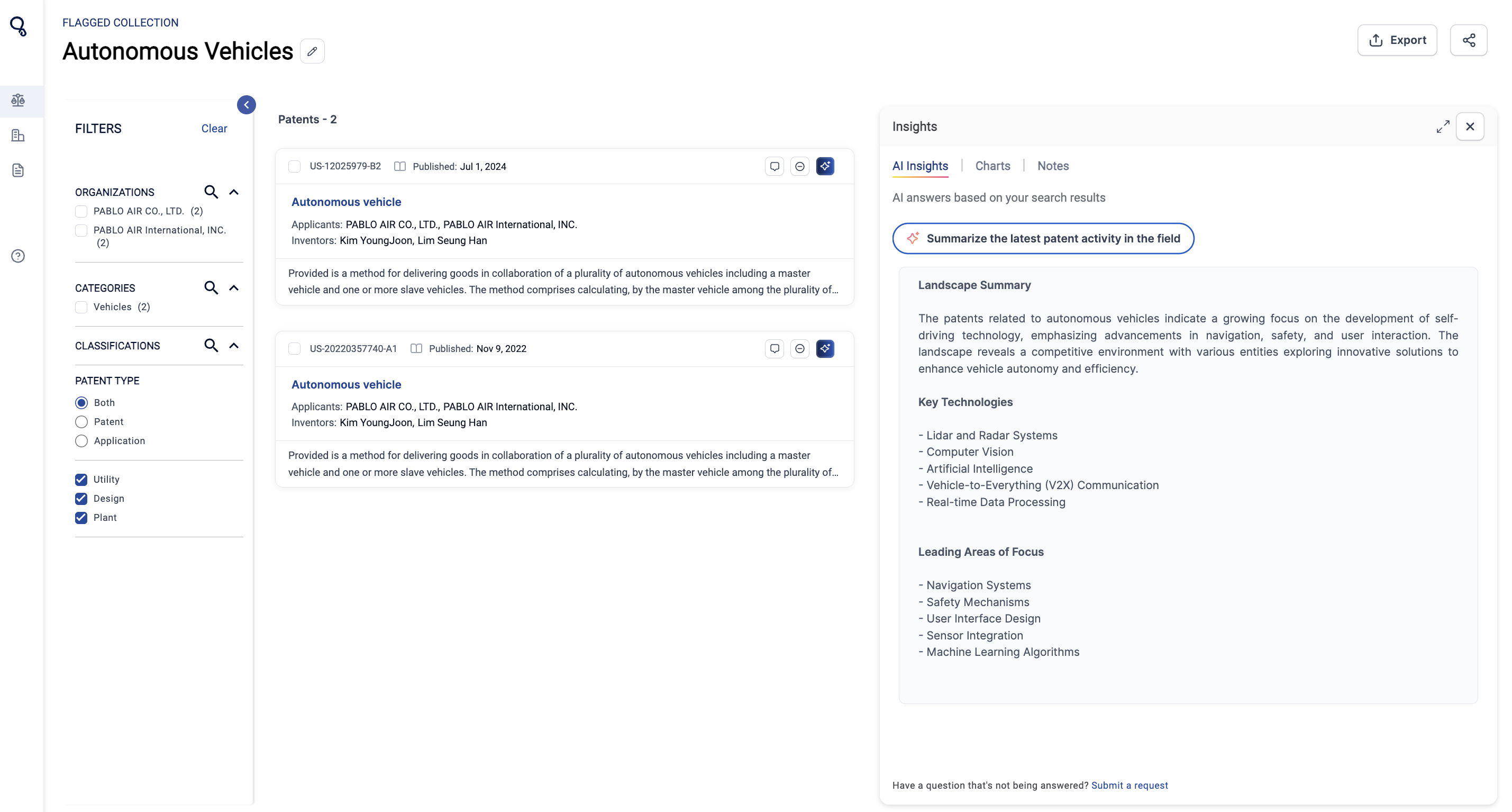
We’ve added to our platform the unique feature of running AI insights across your flagged data.
For example, in the screenshot below, there are two patents are saved to the flagged data collection. Users can use AI Insights to summarize the latest activity.
Flagged Data Collections can also be added into Projects. Learn more about Projects here.
We’re thrilled to announce a significant enhancement to the Cypris platform: the expansion of our global patent dataset.
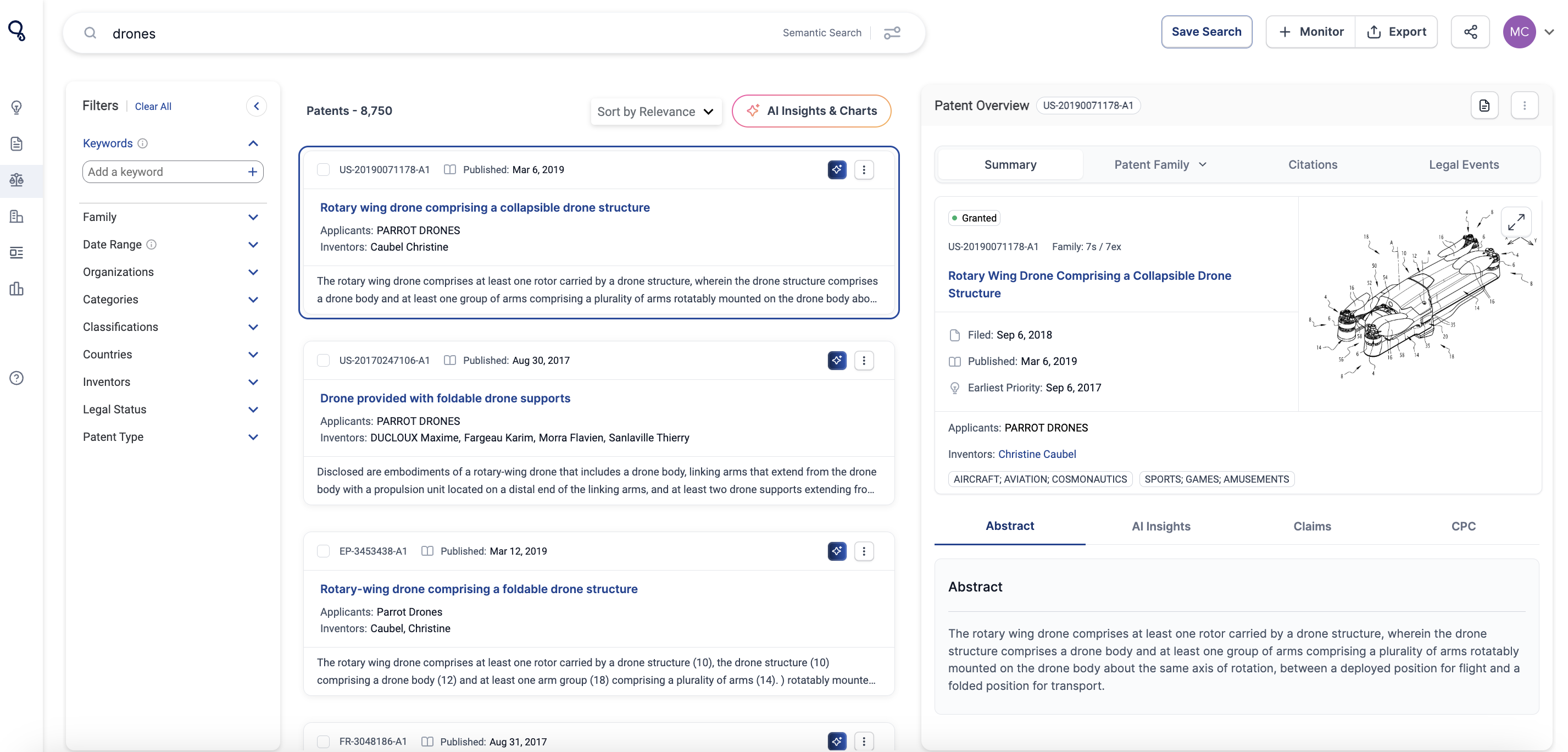
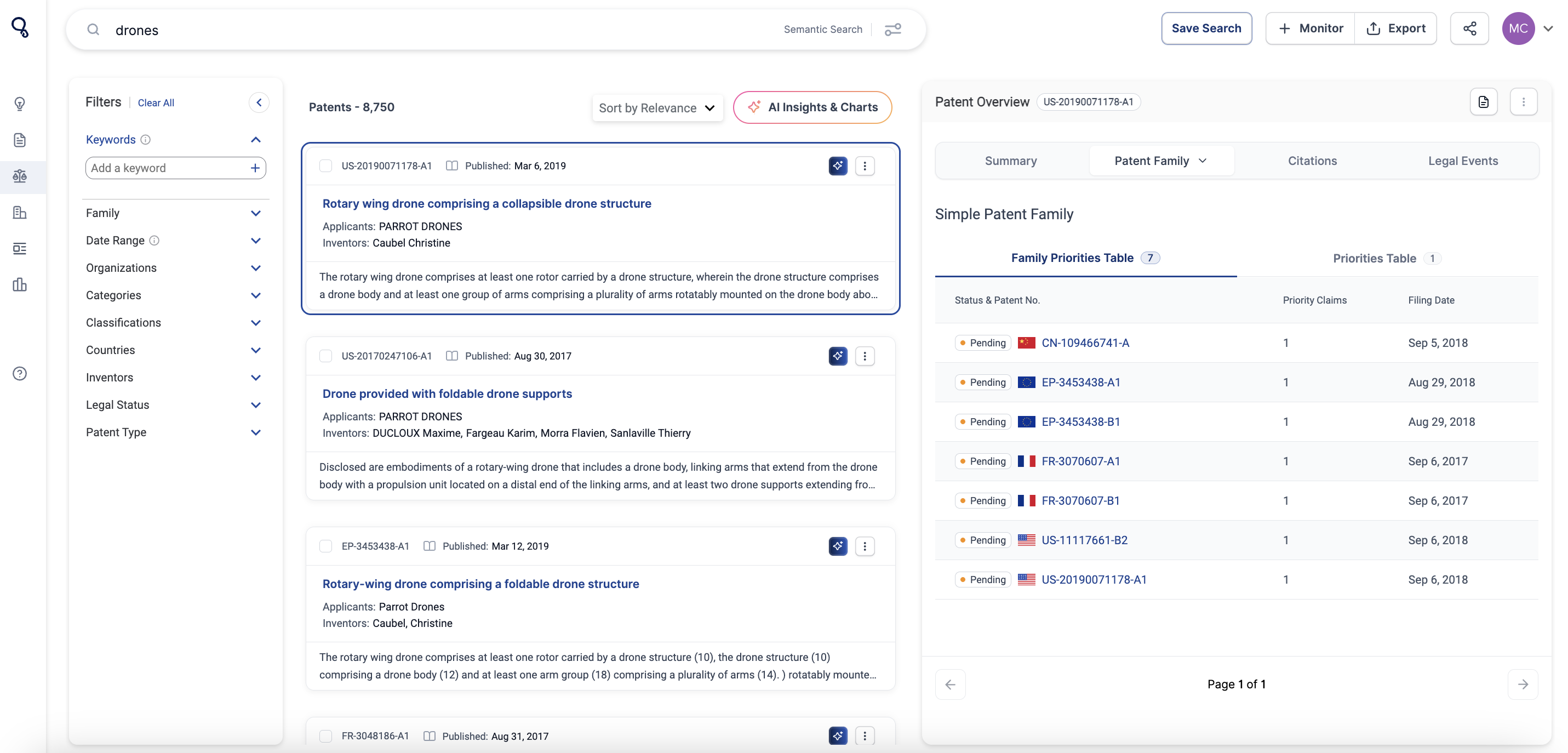
Previously, our patent coverage was primarily U.S.-focused, with limited access to global full-text data. Now, Cypris provides full-text coverage across 165M patent records from over 150 patent offices worldwide, updated daily. This includes:
- Global claims, enabling a more comprehensive understanding of patent scopes.
- Patent families, offering insights into related filings across jurisdictions.
- Forward and backward citations, supporting detailed analysis of patent influence and innovation trends.
This enhancement elevates our patent dataset to match the capabilities of leading enterprise-grade global patent search platforms, empowering your team with a cutting-edge solution for R&D and innovation research.
Why We Built This Feature
Patent data serves as a powerful indicator of global innovation within a specific domain. It provides valuable insights into who is active in a market, their unique strategies, and the progression of research in a field. While it doesn't offer the full picture, it remains a critical piece of the puzzle. Our mission is to equip R&D teams and innovators with the most comprehensive and up-to-date patent dataset available. This feature is designed to deliver maximum coverage and frequent updates, ensuring our users stay informed and never miss a key development when leveraging patent data to address their most pressing research questions.
User Needs Addressed
- Access to global patent data with daily updates.
- The ability to conduct more in-depth analyses with robust citation tracking.
- Improved usability and visibility of patent details through an intuitive interface.
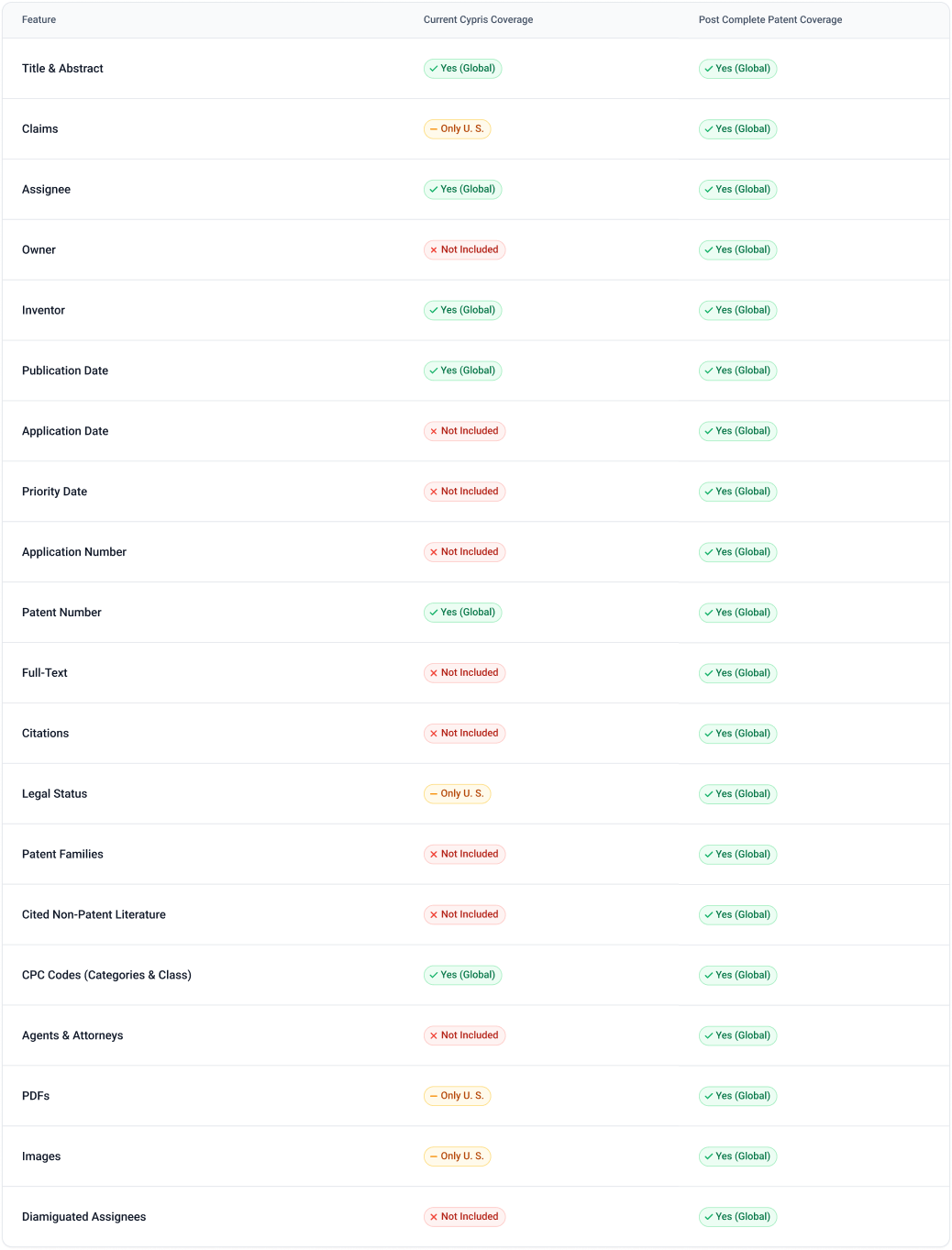
How It Works
AI Insights Integration
The expanded dataset directly integrates with our AI Insights tool, enabling users to uncover trends across industries, explore relationships between patents, and leverage citation analysis for actionable insights.
Enhanced Patent Summary Card
The updated card provides:
- Comprehensive claims data (beyond U.S. coverage).
- Legal and citation information for deeper analysis.
- A clear presentation of the patent’s core features and status.
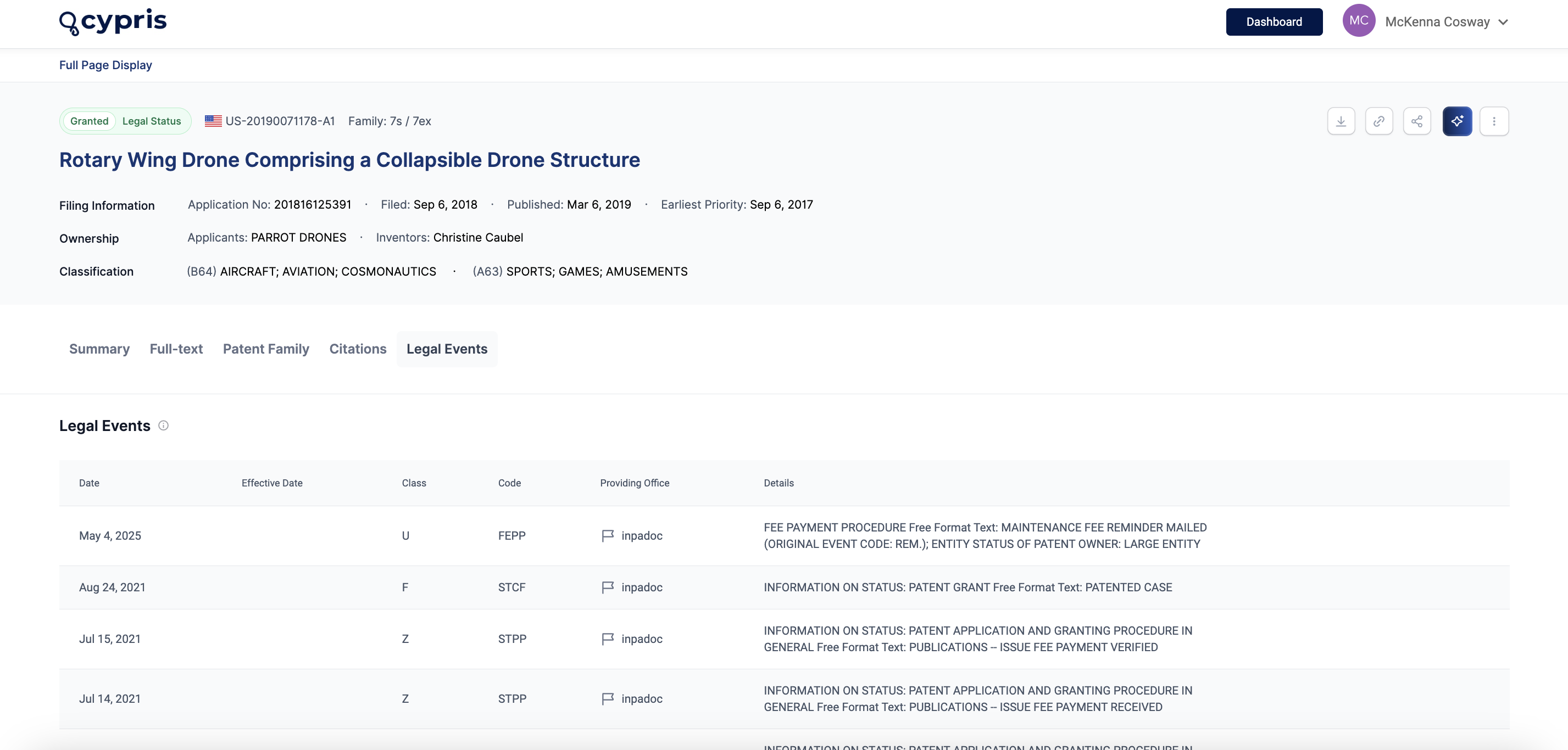
New UI Enhancements
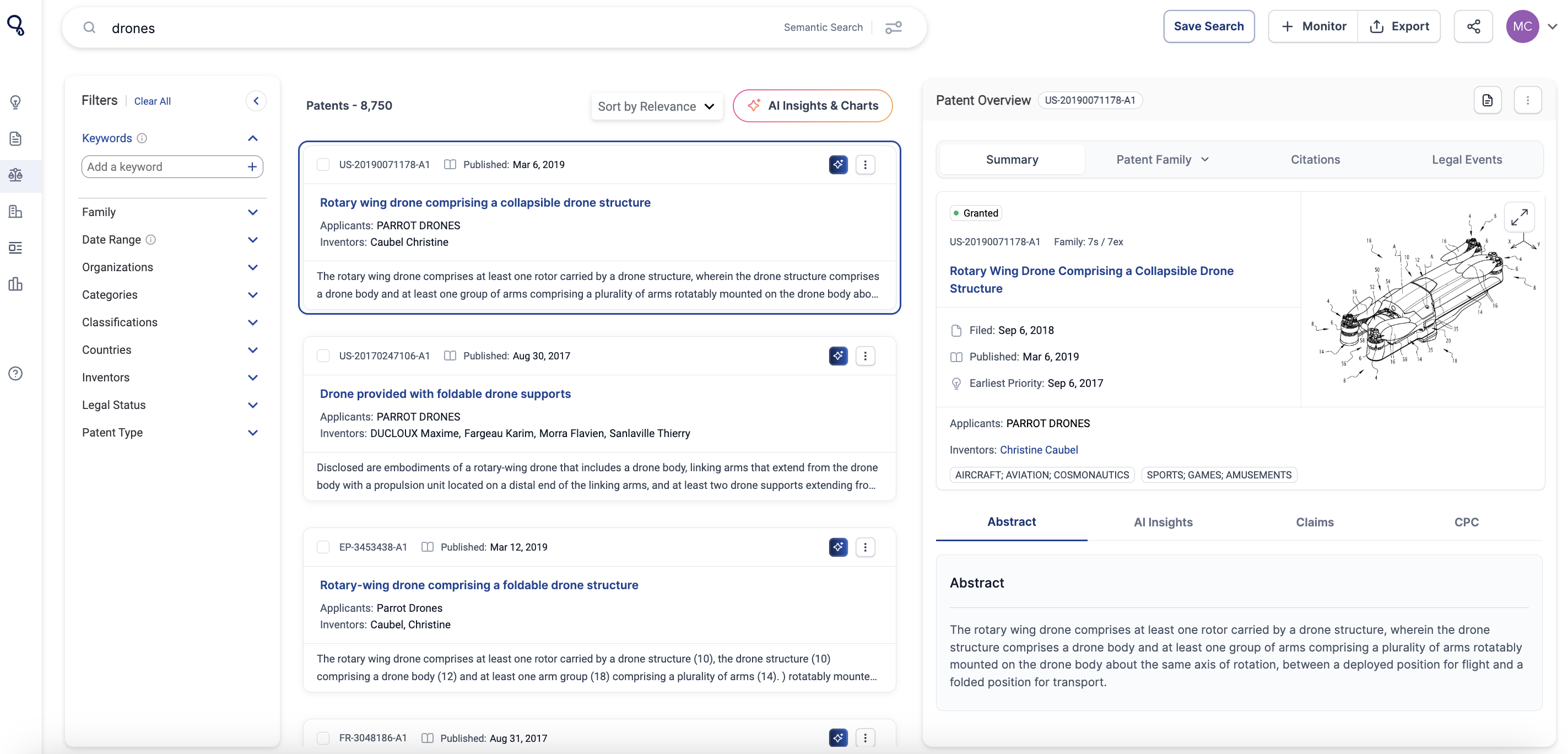
- Patent Cards: A refreshed design for quick reference.
- Patent Summary View (Side Panel): Streamlined access to key details.
- Patent Pages (Full Display View): A detailed view with backward and forward citations, global claims, CPC codes, and more.
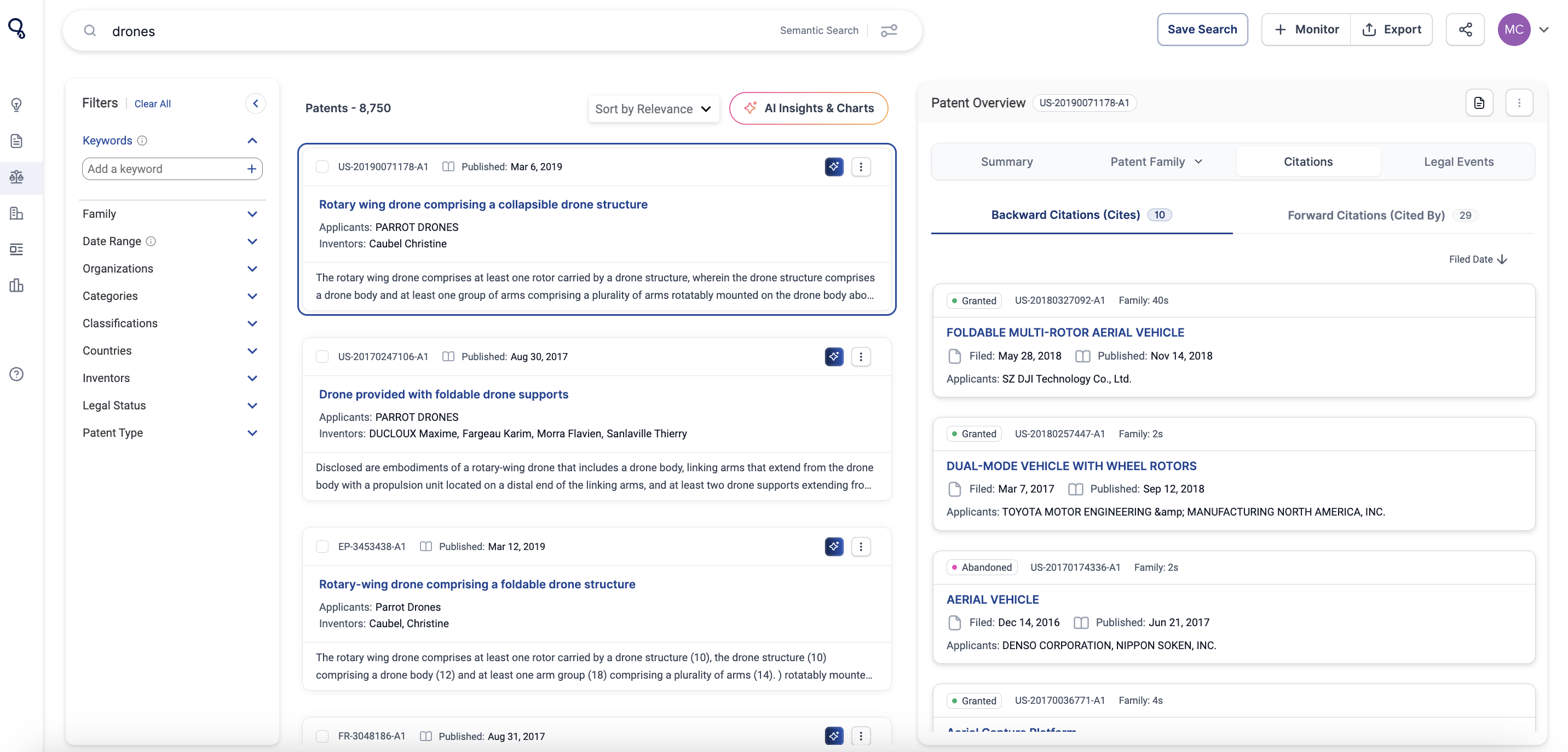
Improved Search Functionality
The default search now includes titles, abstracts, and global claims for faster and more relevant results. Coming in Q1, we’re expanding Advanced Search capabilities to help you build more complex queries using the new dataset.
The Cypris platform offers multiple ways to conduct searches, allowing users to efficiently navigate through patents, research, and market insights. Below are the different types of searches available and how to use them effectively.
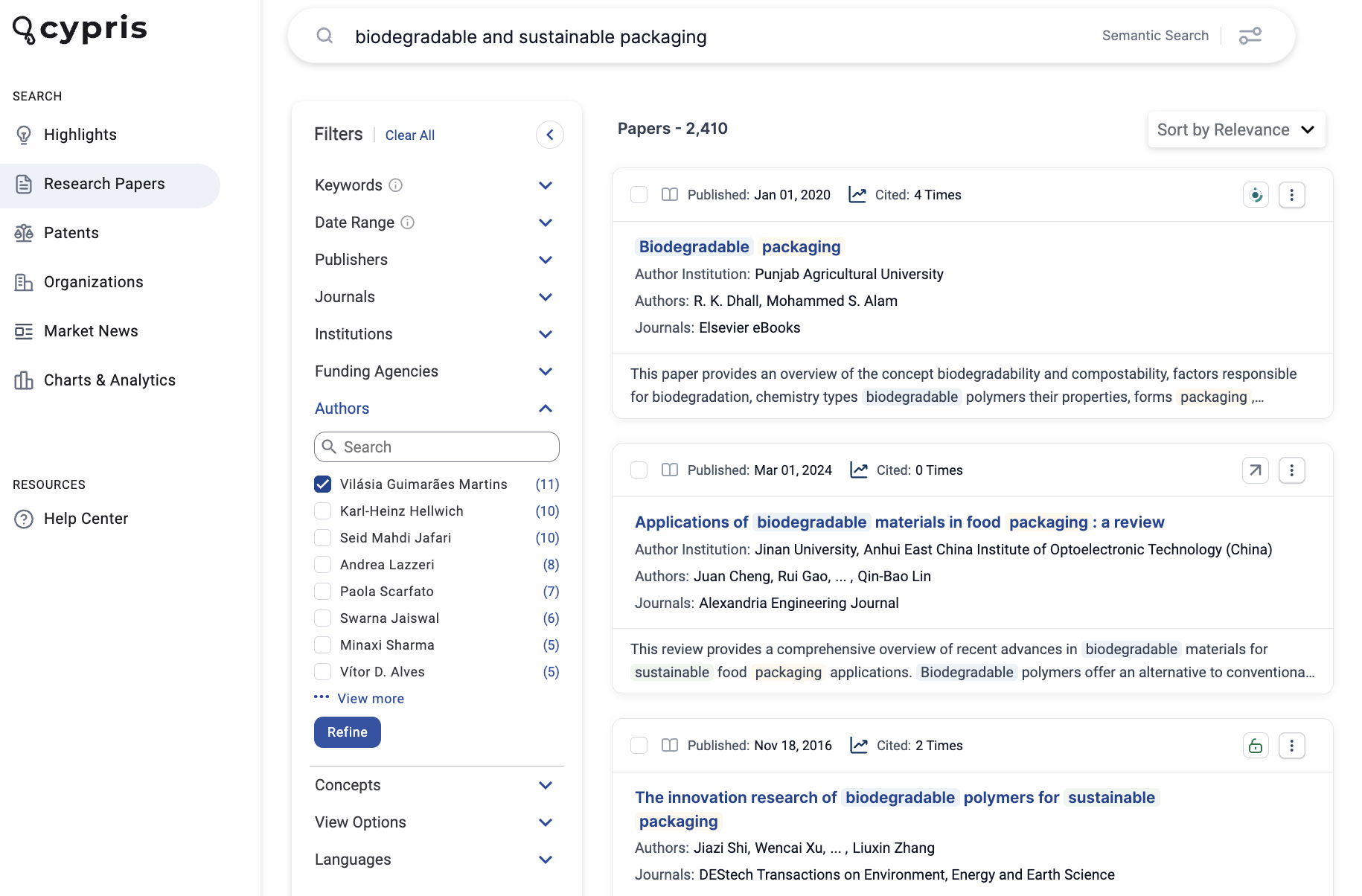
Semantic Search
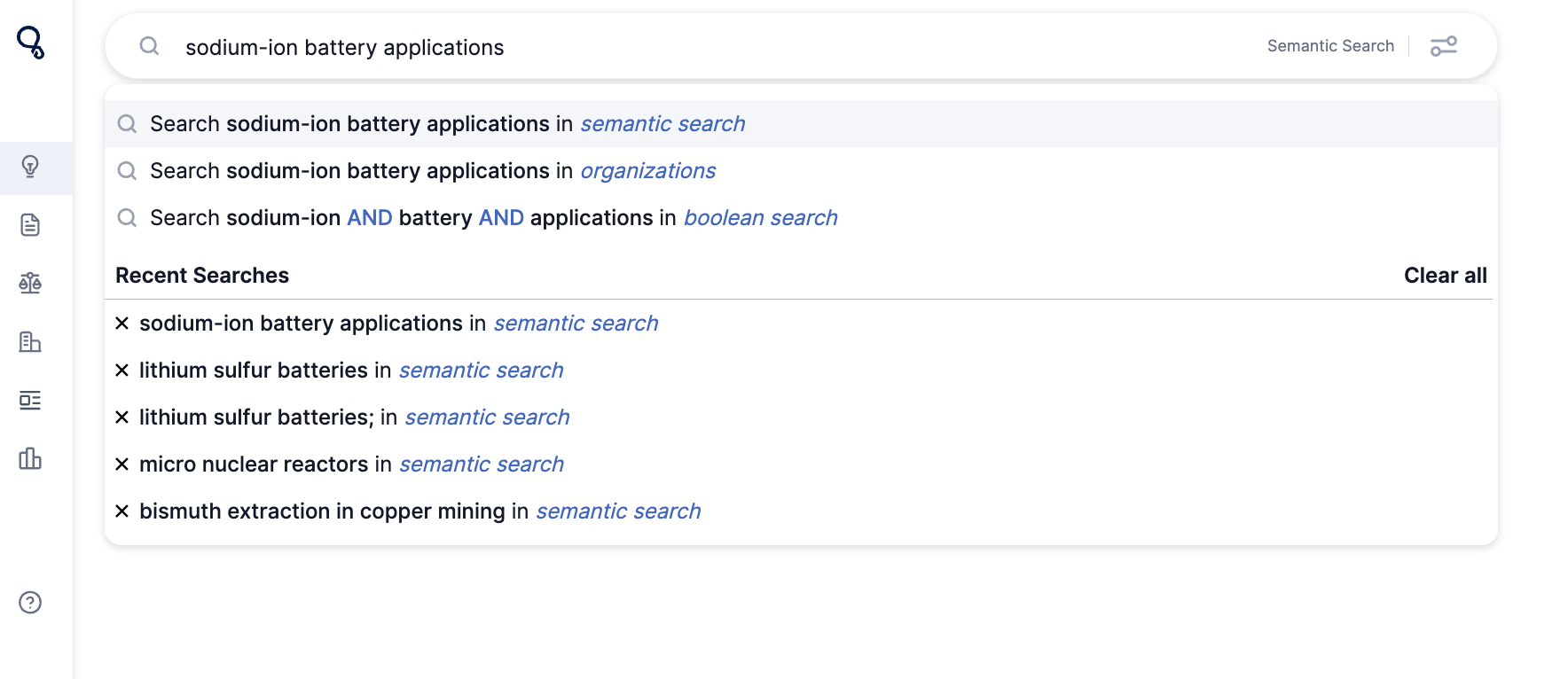
Semantic search allows users to input natural language queries to retrieve relevant results. This search method is particularly useful when looking for insights beyond exact keyword matches.
For example, searching for "sodium-ion battery applications" will return patents, research papers, and company insights related to this topic.
Semantic Search | Current Limitations
Currently, our semantic search does not effectively support queries that combine an inventor’s name or organization name with keywords, such as "patents filed by John Doe" or "patents filed by Amazon."
Avoid This:
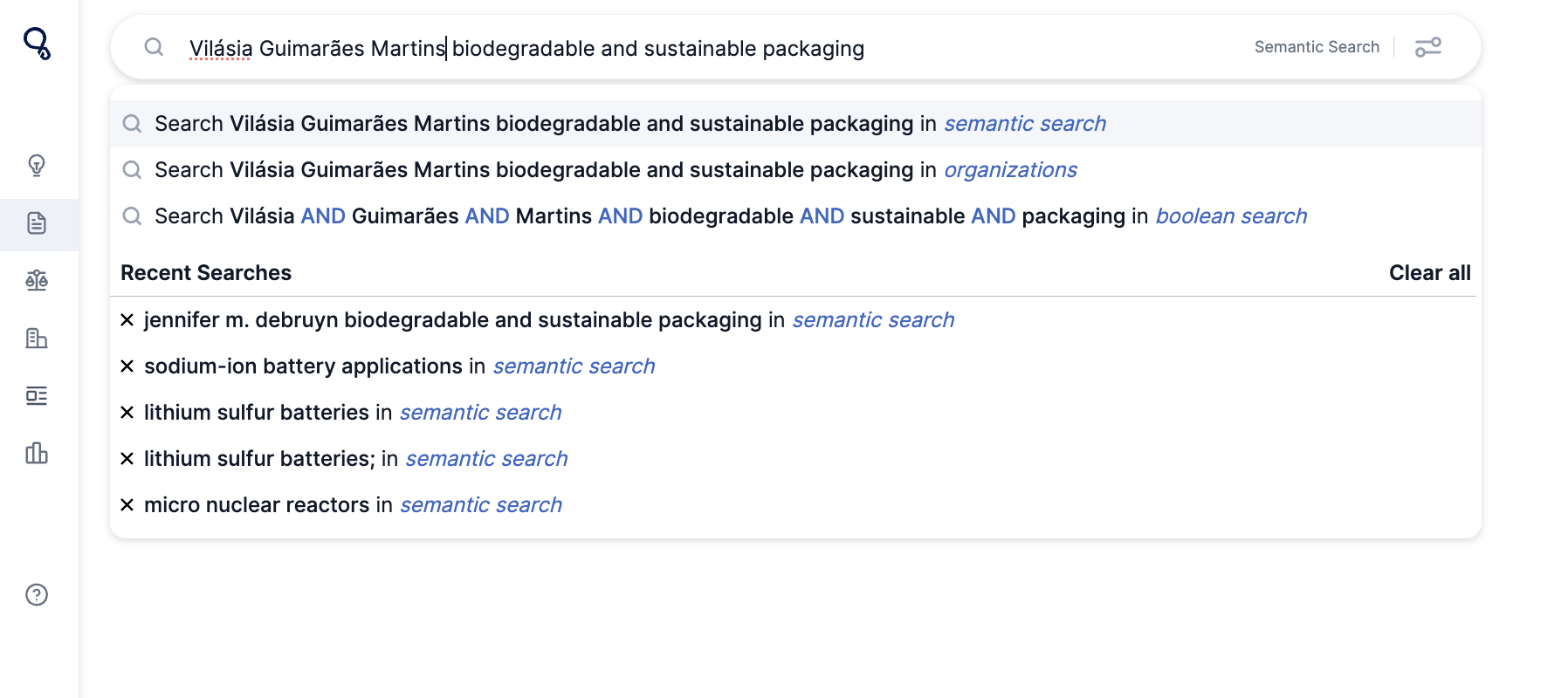
Instead, Try This:
We’re actively working on improving this capability, with an enhanced search experience expected to launch in Q2.
In the meantime, we recommend searching for the inventor or organization name separately and then using keyword filters to refine your results.
Semantic Search | Keyword Search
Keyword search allows users to enter specific terms related to their area of interest. Using a string of keywords can refine results effectively.
Example: "biodegradable packaging materials"
This method is useful for finding precise information related to specific terms in patents, research articles, and market reports.
Semantic Search | Patent ID Search
Our platform now supports flexible patent ID searches without formatting restrictions. You no longer need to manually remove spaces, commas, or slashes.
Examples of accepted formats:
- Official format: US 11,704,006 B1 or US 2017/0330365 A1
- Flexible format: US 11,704,006 or 11,704,006
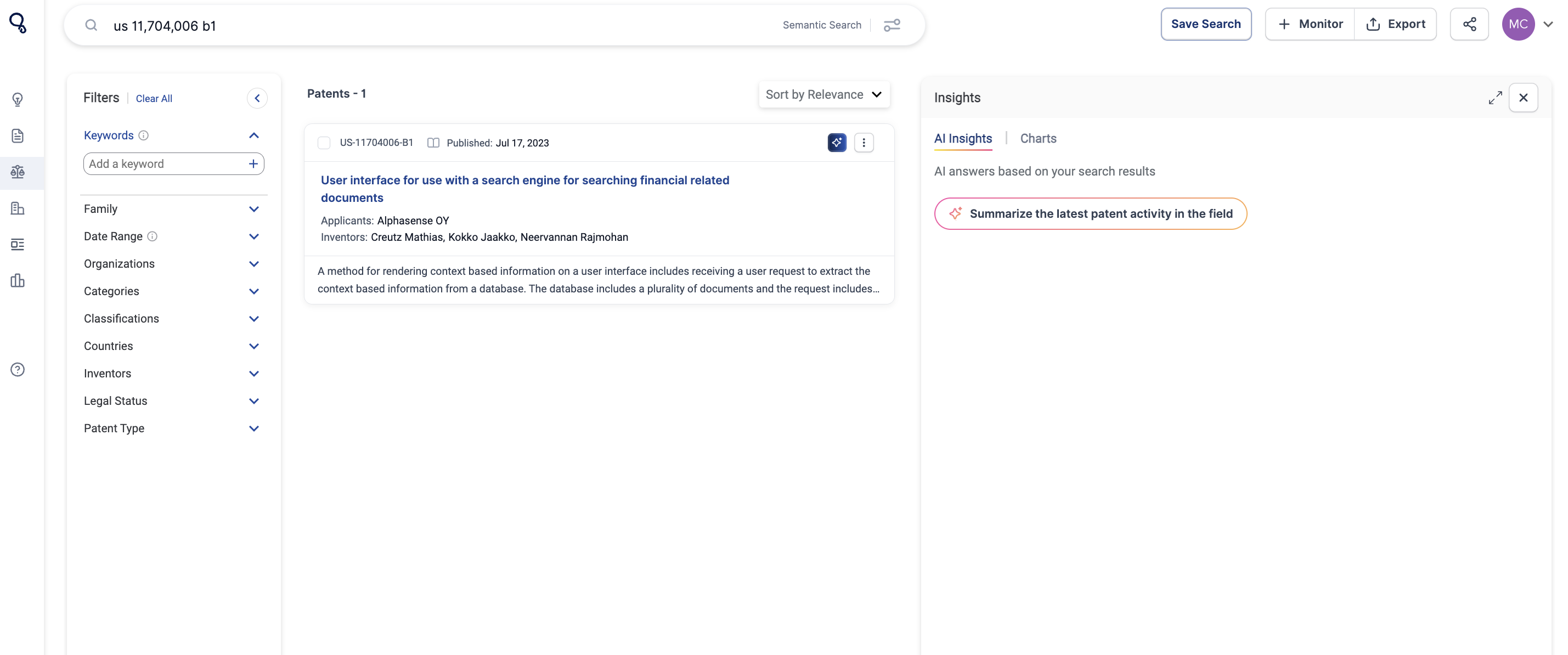
The system automatically recognizes and processes these variations to provide accurate results.
Boolean Search
The most effective way to perform precise and efficient searches.
Boolean search enables users to build precise queries using Boolean operators to refine search results. The key operators are:
- AND – Narrows results by including all specified terms (e.g., "AI AND drug discovery").
- OR – Broadens results by including at least one of the specified terms (e.g., "bioplastics OR biodegradable polymers").
- NOT – Excludes specific terms from results (e.g., "gene therapy NOT CRISPR").
- Quotation Marks ("") – Searches for exact phrases (e.g., "electric vehicle battery").
- Parentheses () – Groups terms for complex searches (e.g., "((AI OR machine learning) AND drug discovery)".
To create a Boolean search:
- Click on the search bar and input keywords using Boolean operators.

- Once the query is complete, click “in boolean search” to execute the search.
- After running the query, you can save it by selecting the Save Search button in the top right corner.
Advanced Search
Advanced search provides a more refined and customizable search experience, allowing users to construct detailed queries visually.
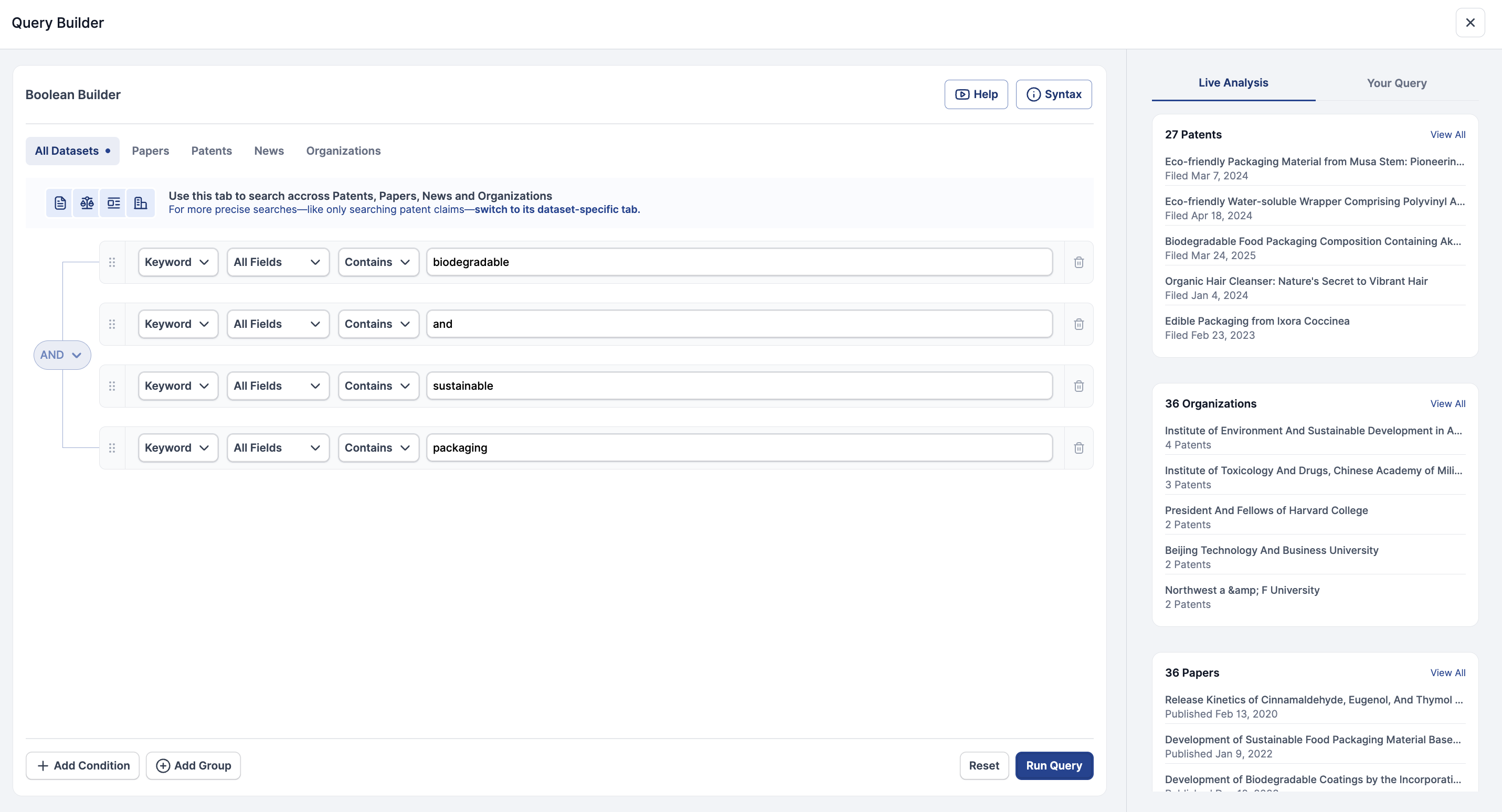
How to Use Advanced Search
The Advanced Search functionality is perfect for users who need a high level of control over their queries, allowing for deeper analysis and more precise results. By leveraging these search capabilities, users can efficiently navigate the Cypris platform and uncover insights tailored to their specific research needs.
Read our in-depth guide here.
For a video walkthrough, check out the tutorial below.
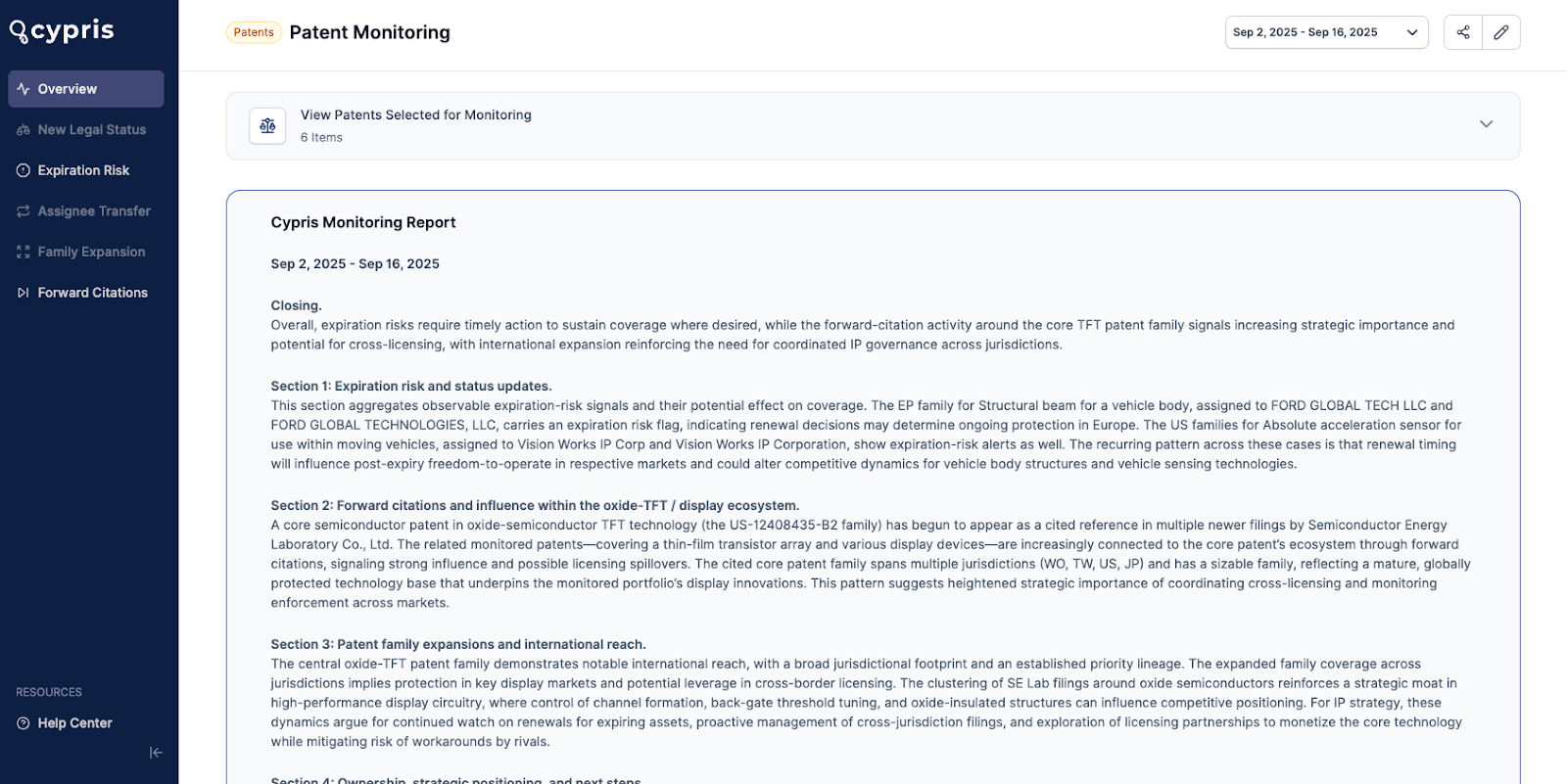
Cypris Monitoring has been fully redesigned to give R&D and innovation teams faster, smarter, and more actionable insights. Powered by advanced large language models (LLMs), Monitoring doesn’t just deliver updates—it interprets them, surfacing key insights and emerging trends so you can focus on what matters most.
What’s New in Monitoring
1. The New AI-Generated Monitoring Report
- Spreadsheets are no longer needed; updates are organized in a clear, structured format.
- The latest Monitoring Report uses advanced LLMs to read the data for you, surfacing key insights and emerging trends automatically, so you can skip the noise and get straight to what matters.
- Flag items directly into collections without manual steps like noting patent numbers or re-entering data.
- Access updates via email links or dashboard; review and flag relevant items instantly.
- Includes full AI-enhanced summaries of key trends and updates.
- Reports are refreshed every few weeks (based on user cadence) and automatically save previous updates, creating a running log.
- Patent-focused cards highlight key changes: “patent expansion” shows new jurisdictions, “assignee transfer” shows ownership changes between companies.
2. Redesigned Update Emails
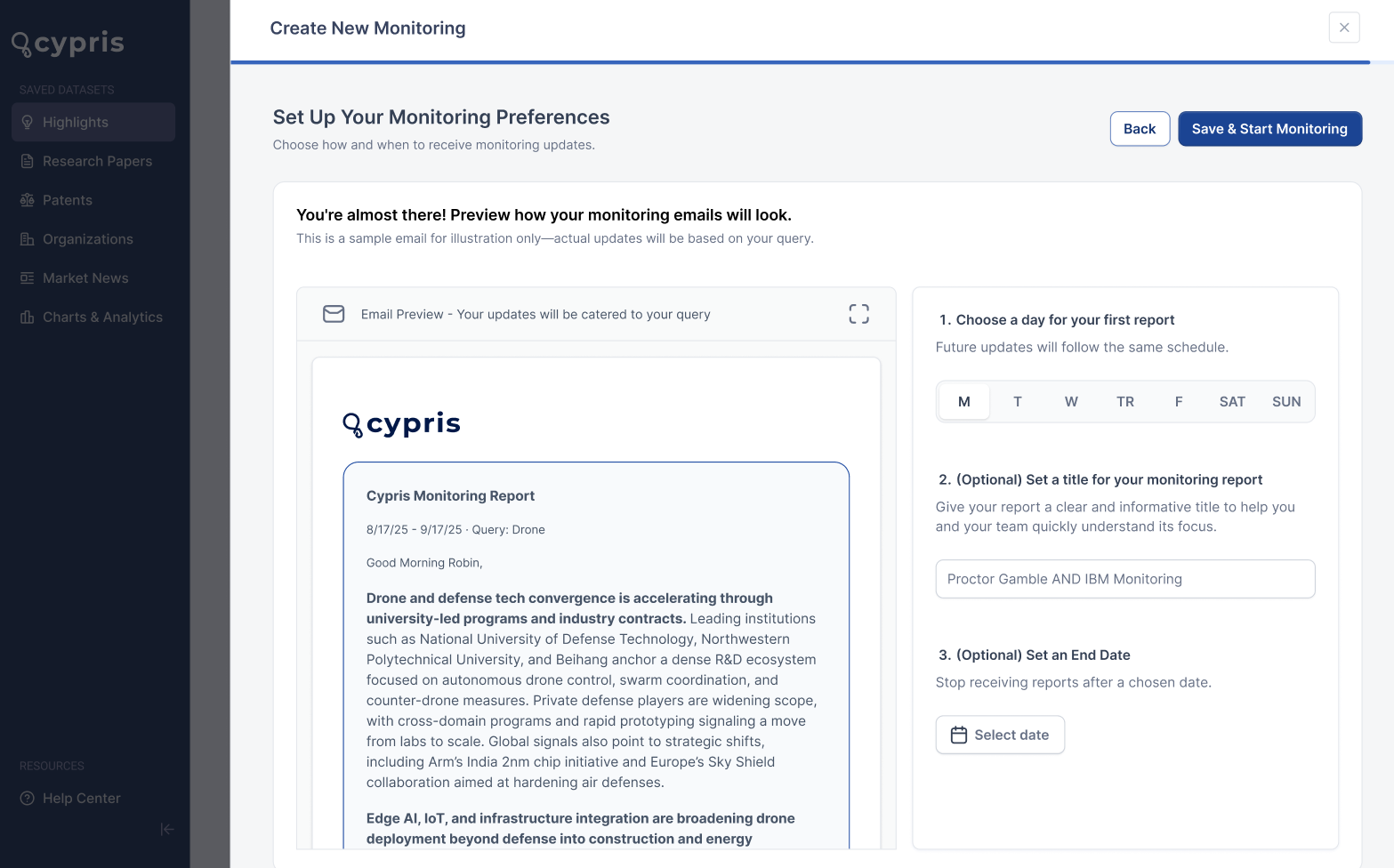
- Redesigned emails with structured, visually engaging layouts.
- Attention-grabbing summary paragraph of recent activity.
- Highlights three key trends, with one trend previewed in email and a CTA to view the rest in-platform.
- Categorized, filterable updates for all tracked datasets.
- “View updates in-platform” CTA links to interactive pages with sorting, filters, and engagement tracking.
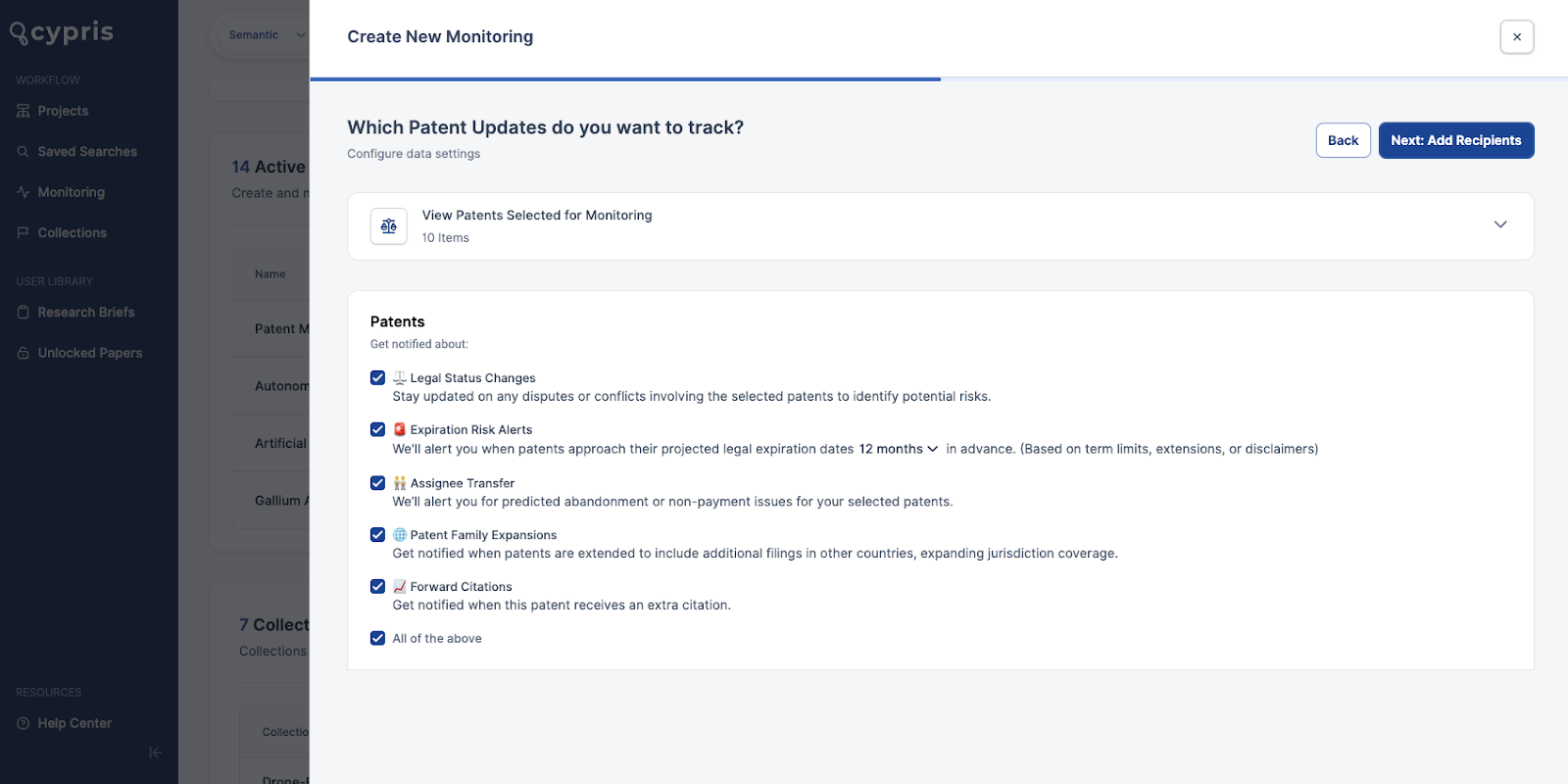
3. Simplified & Intuitive Setup
- Smart recipient suggestions include company colleagues, frequent contacts, and shared project members.
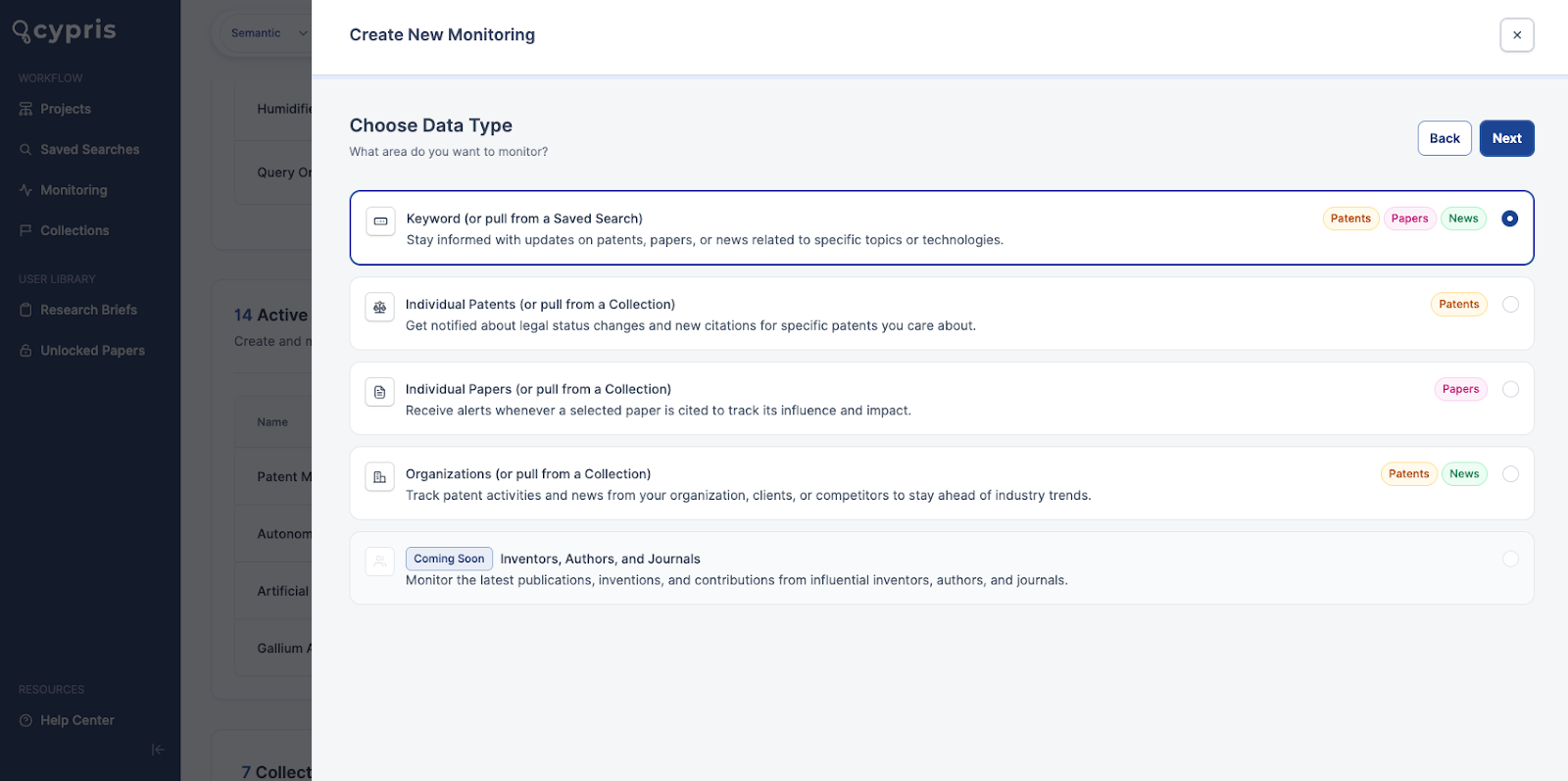
- Faster setup flow: choose monitoring type (keyword, patent, paper, organization), select saved searches or collections, and preview emails.
- Customize title, send date, and stop date with ease.
4. Improved Discoverability
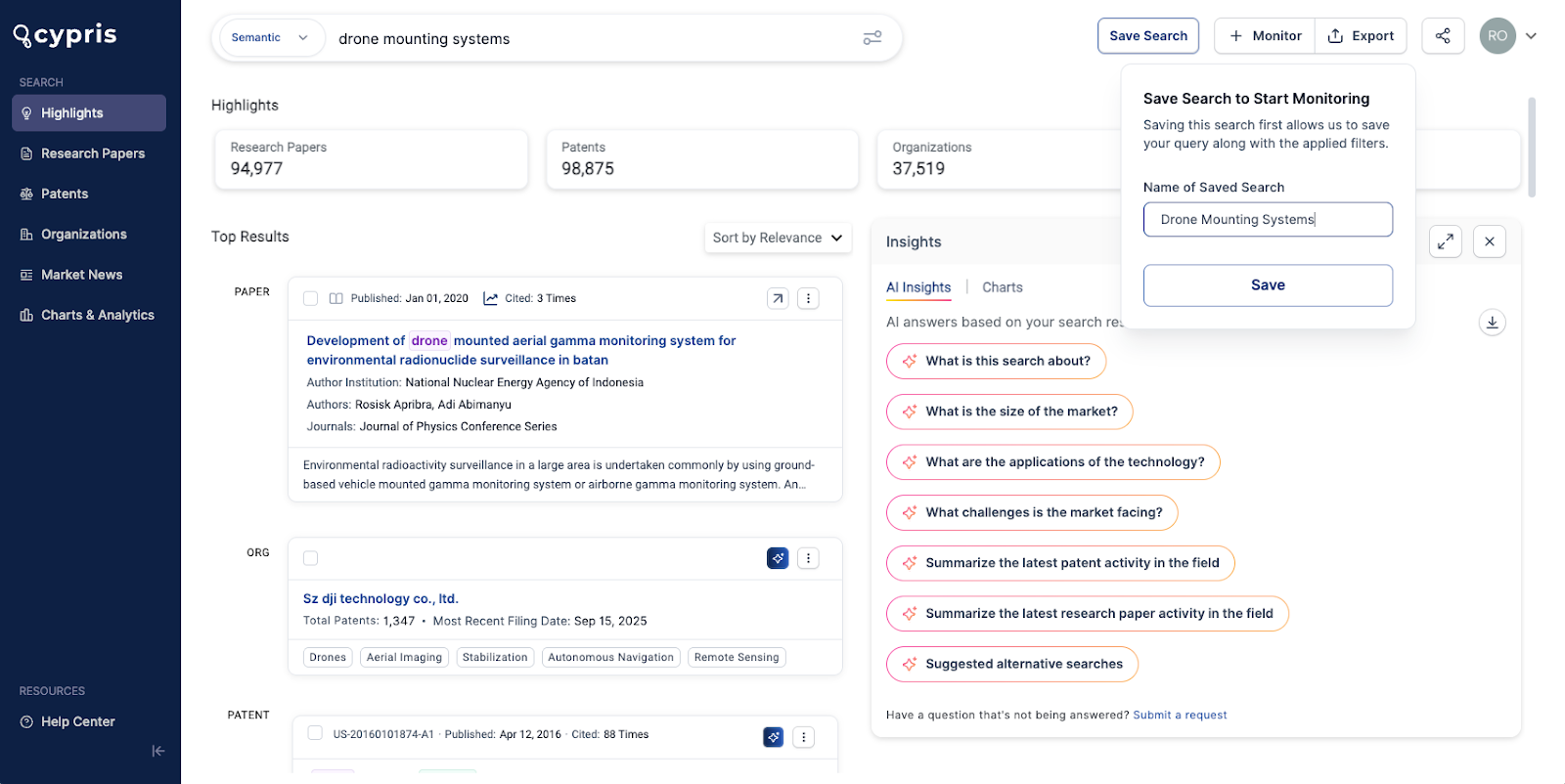
- The Monitoring button now appears on every search results page.
- It also shows which queries are currently monitored with an indication so users don’t duplicate their monitors.
- External recipients can be easily added to email updates, enhancing collaboration.
5. Reduced Data Overload
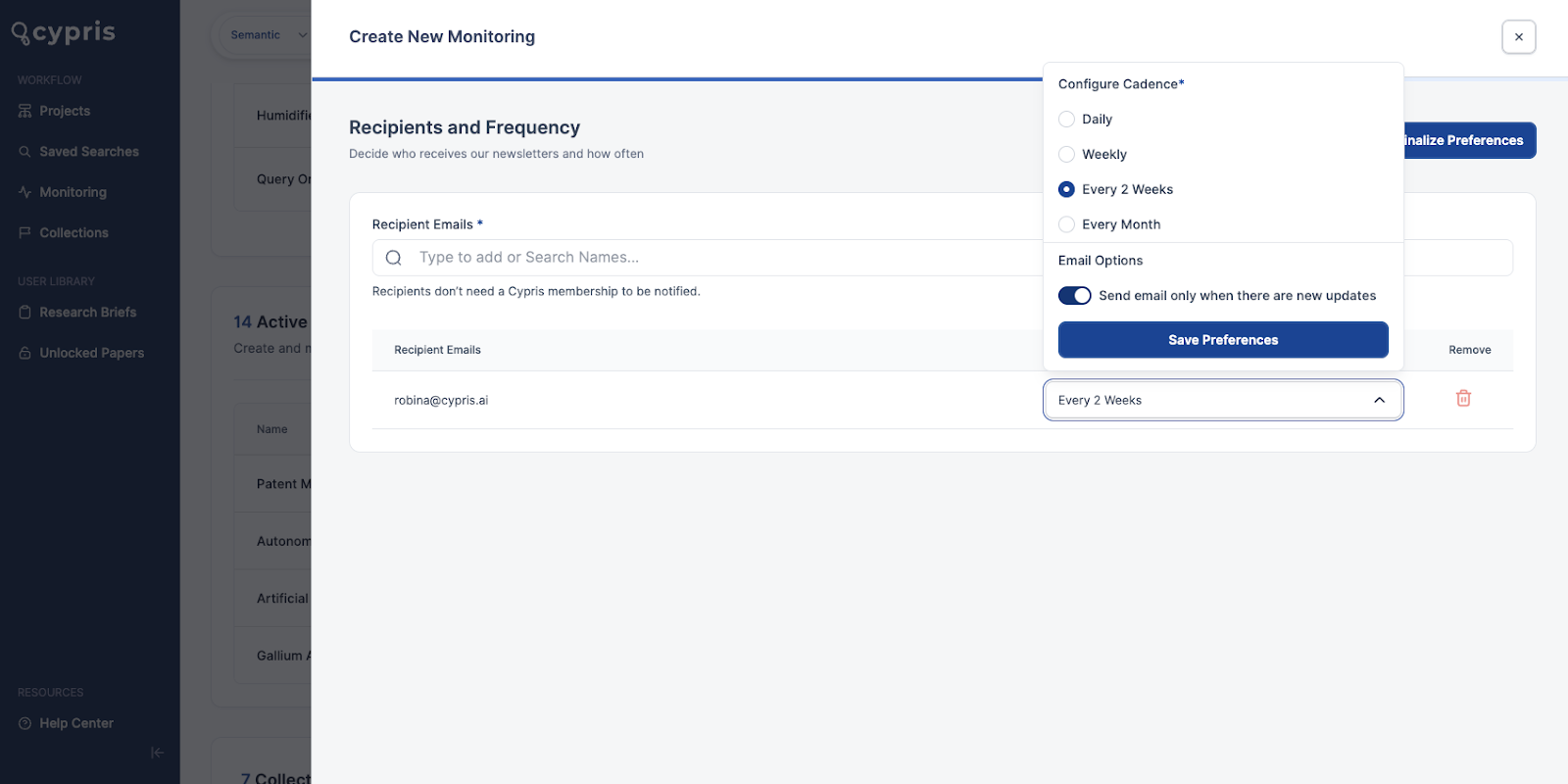
- “Only send if new results exist” toggle prevents duplicate notifications.
- Only newly published patents, papers, new entrants, and news trigger alerts.
- Future updates will enable automatic tracking of entire corporate hierarchies.
6. Critical Alerts for Key Events
- Four new patent tracking alerts in addition to legal status changes: expiration risk, assignee transfers, patent family expansions, and forward citations
- Track forward citations of your own papers to monitor competitor activity in real time.
Bonus Update: A Fresh Look for Navigation
Alongside these Monitoring improvements, we’ve refreshed the Cypris side navigation bar with a new blue design. It’s a cleaner, modernized look that makes it easier to find your way around the platform while keeping your research flow uninterrupted.
With these updates, Cypris Monitoring becomes more than just alerts. It’s your central hub for staying ahead of competitors, discovering emerging technologies, and acting on insights with confidence.
The Impact
With these updates, Cypris Monitoring becomes more than just alerts—it’s a central hub for competitive intelligence. Users can:
- Stay ahead of emerging competitors and technologies
- Spot trends faster with AI-enhanced summaries
- Reduce noise with smarter alerts
Have questions or want help getting started? Reach out to your Cypris team directly.
We’re excited to announce the launch of AI Reports for Patents, our newest feature designed to uncover unique and valuable insights from the patent dataset. With this feature, you can build downloadable reports tailored to common patent-focused research objectives, such as a Commercialization Report, Citations Impact Analysis, Technology Clustering Report, White Space Anlaysis & more.
Additionally, you can create custom report templates (or custom prompts) by defining your objective and selecting the specific data points you’d like to analyze. Custom prompts can be saved to dashboards for easy access and future use.
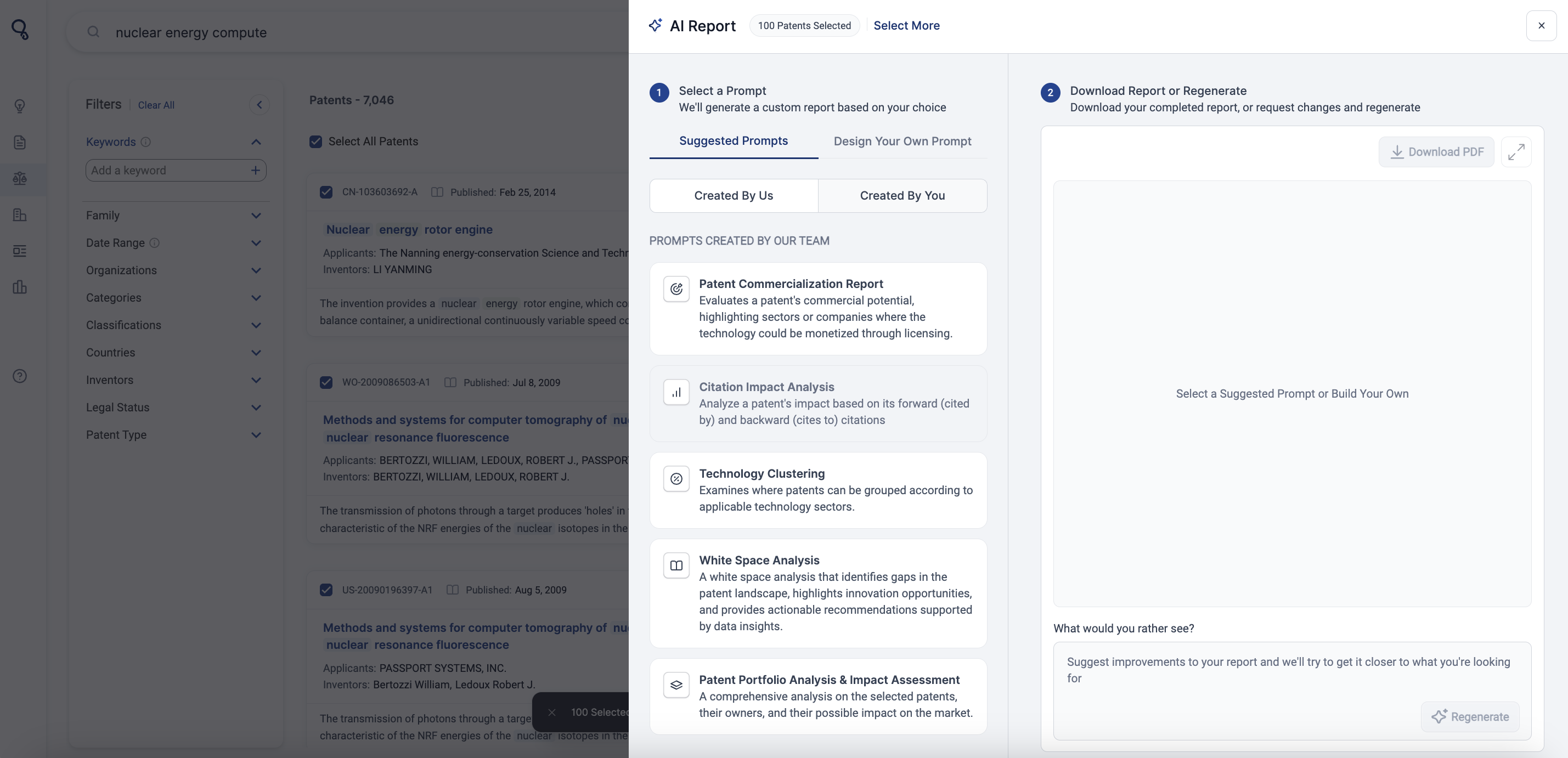
We believe this feature will transform how users conduct research on Cypris. AI Reports allows users to run in-depth queries, analyze the accuracy of raw results, and use that data to create highly detailed, targeted reports. This process not only enhances users' confidence in the information provided by the AI model but also enables them to focus the AI on a defined pool of data.
This is just the beginning for AI Reports. In the future, we plan on extending the feature to our other datasets like Research Papers, Market News, and Organizations, but for now, we trust and hope you can find value for your patent-focused research initiatives.
Why We Built This Feature
One of our most popular product offerings over the last year has been our Research Briefs, created by Cypris analysts. Time is proving to be one of the more valuable commodities for R&D teams, and traditional dashboard products have led them to spend more time on research and less time on development. This is a misstep on the vendor's part and is slowing down critical R&D initiatives.
Research Briefs have been well-received because they give valuable time back to researchers. With AI Reports, we set out to bring that same value to our self-service dashboard.
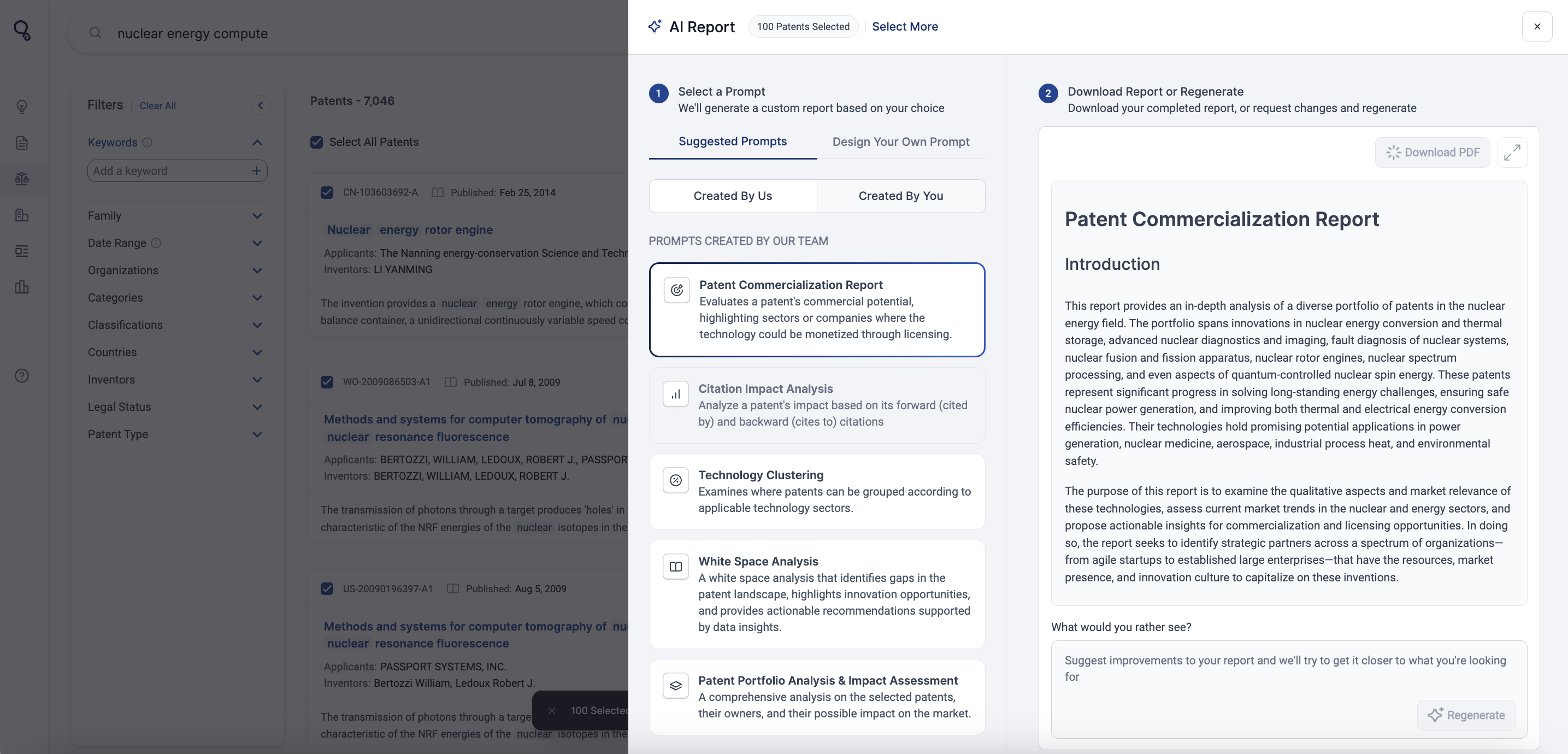
We chose to start with patents due to the high volume of patent-related work our analysts have spent time on. We then analyzed the most common patent report types users were manually building to determine which ones to include as suggested prompts. Each suggested prompt reflects the optimal report structure, informed by our findings and close collaboration with users during testing.
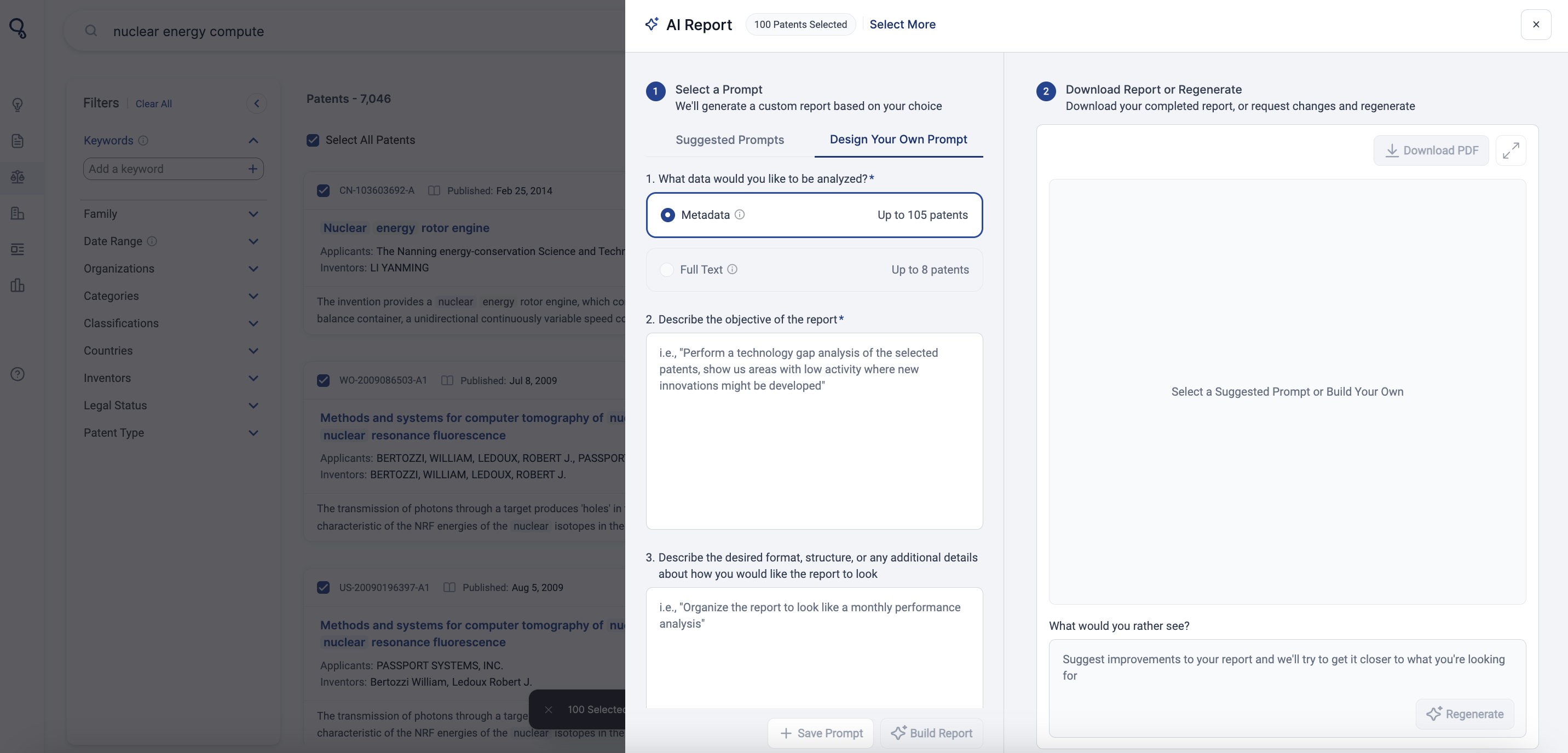
Additionally, we wanted to provide agility in the feature by allowing users to create and save custom prompts, by simply adding an objective and descriptive formatting.
User Needs Addressed
- Automatically generate reports using the following suggested prompts:
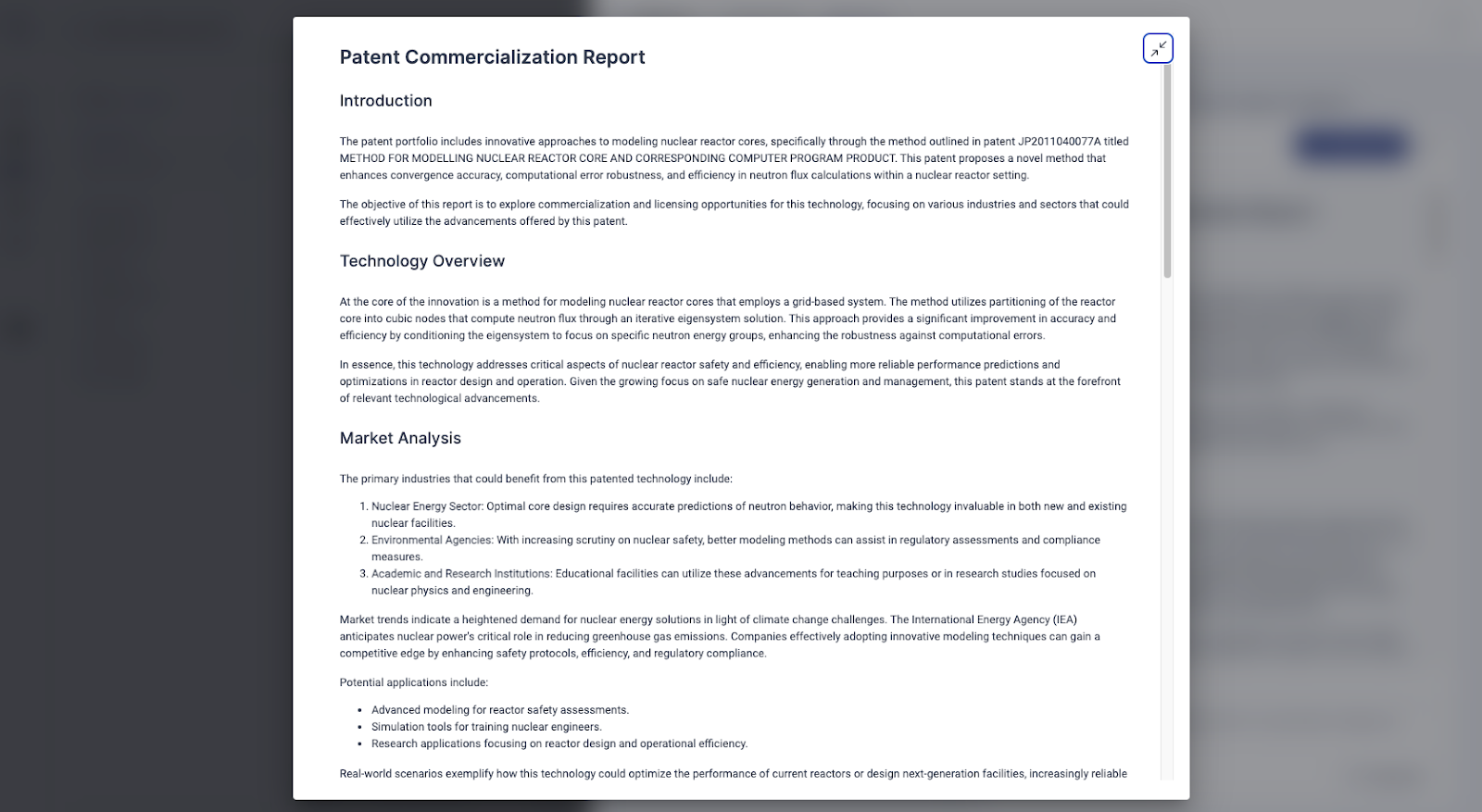
- Patent Commercialization Reports
- Evaluates a patent's commercial potential, highlighting sectors or companies where the technology could be monetized through licensing.
- Citation Impact Analysis
- Analyze a patent's impact based on its forward (cited by) and backward (cites to) citations.
- Technology Clustering
- Examines where patents can be grouped according to applicable technology sectors.
- White Space Analysis
- A white space analysis that identifies gaps in the patent landscape, highlights innovation opportunities and provides actionable recommendations supported by data insights.
- Patent Portfolio Analysis & Impact Assessment
- A comprehensive analysis on the selected patents, their owners, and their possible impact on the market.
- Design custom report prompts by describing an objective and source formatting. Save prompts in your dashboard for quick future use.
- Suggest edits to the report using the ‘Regenerate’ text box.
- Download reports to PDF.
- Patent Commercialization Reports
How AI Reports Work
- Run any type of search (semantic, boolean, or organization).
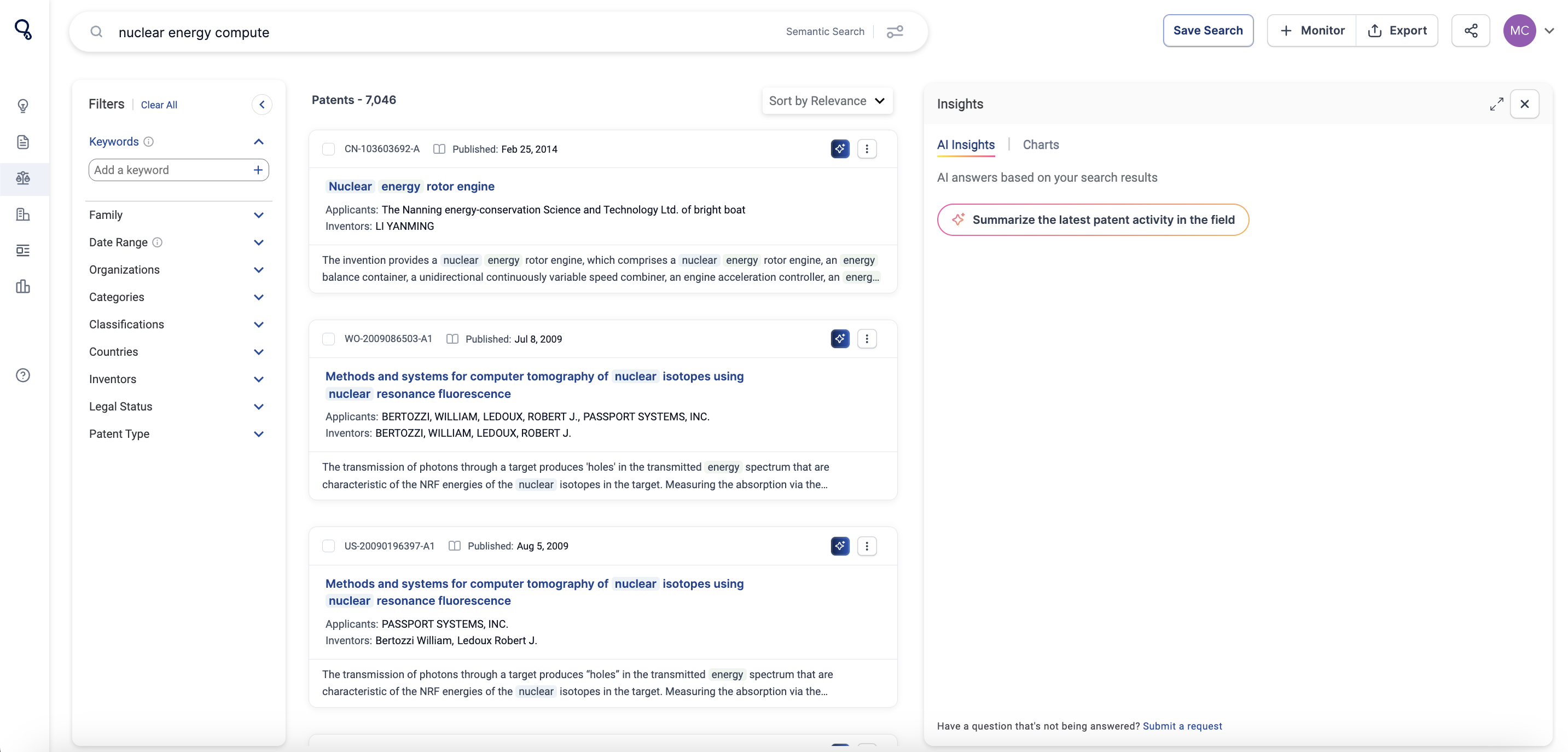
- Navigate to a patent in the results
- If on an organization page go to their patents tab.
- If you’d like to build a report on 1 patent, select the AI Report Blue Icon to open the report builder.

- If you’d like to build a report on multiple patents, checkbox the group of patents and select AI Report in the bottom pop-up bar.
- Choose a suggested prompt or Design your own prompt.
- Once you get back your results, download to PDF or choose to regenerate the report with added comments.
How We Built This Feature
This feature is powered by ‘retrieval augmented generation’ or ‘RAG’.
Explained simply, RAG is an AI technique that focuses the answers you get from language models by combining external contextual knowledge with text generation. When you ask a question, a RAG model searches through a focused set of documents (or ‘context’) to find the most relevant information. It then uses this information to generate a response, effectively blending up-to-date data with its language skills. This means you get more accurate and context-aware answers, making the AI's responses more accurate and reliable.
Cypris RAG Context for This Feature
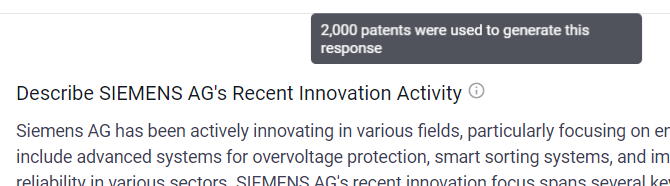
For this feature, we’re primarily looking at the selected group of patent documents as the initial context to build the analysis, and depending on the report type retrieve answers from the Cypris database in addition to external providers.
Depending on the chosen report type we’re analyzing a different breadth of context from the patent document. For example, the citations impact analysis primarily looks at the patent’s forward and backward citation data.
In ‘Design Your Own Prompt’ the user can specify the context to be either the Metadata or Full Text.
For AI Reports case, Metadata includes: Title, Abstract, Assignee, Country, Publication Date, and Inventor. And Full Text includes Claims and Citations + all Metadata.
Finally, certain prompts are restricted by a maximum amount of ‘Input Context’. For example, when doing a Citation Impact Analysis, it can only be done on a maximum of 20 patents due to the breadth of input context.
The Highlights section is designed to provide an overview of key activities in your market within a given time frame based on your search results.
You will see the number of Research Papers, Patents and Organizations relevant to your search.

You can filter your search results by Relevance and Date by clicking the drop-down arrow.

Additionally, you will see AI Insights under the Highlights section based on your search results.
Click on each insight to read AI summaries based on your search results.
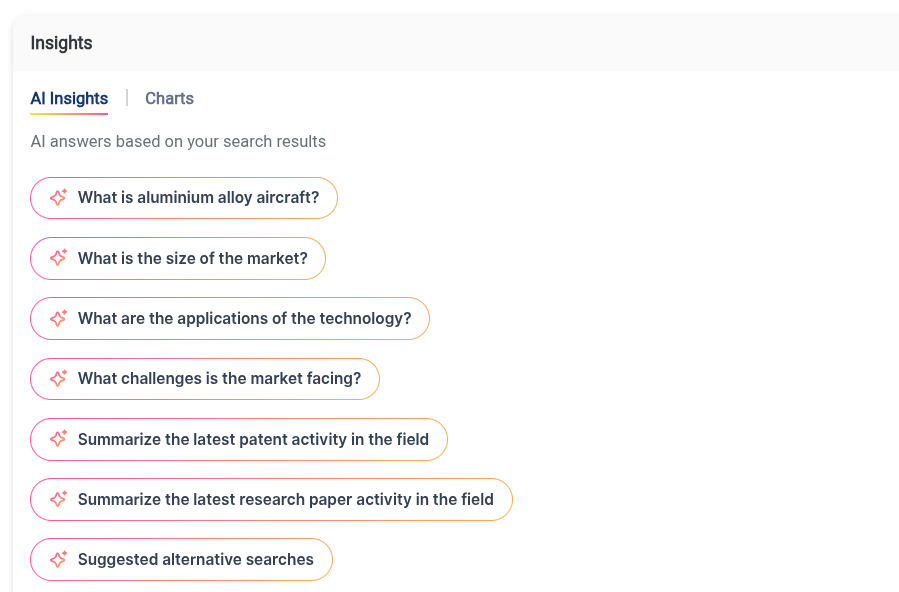
By clicking “Charts” under the Highlights section, you can see the Patent Activity Map, Top 10 Organizations in the space, and Patents vs papers over time.
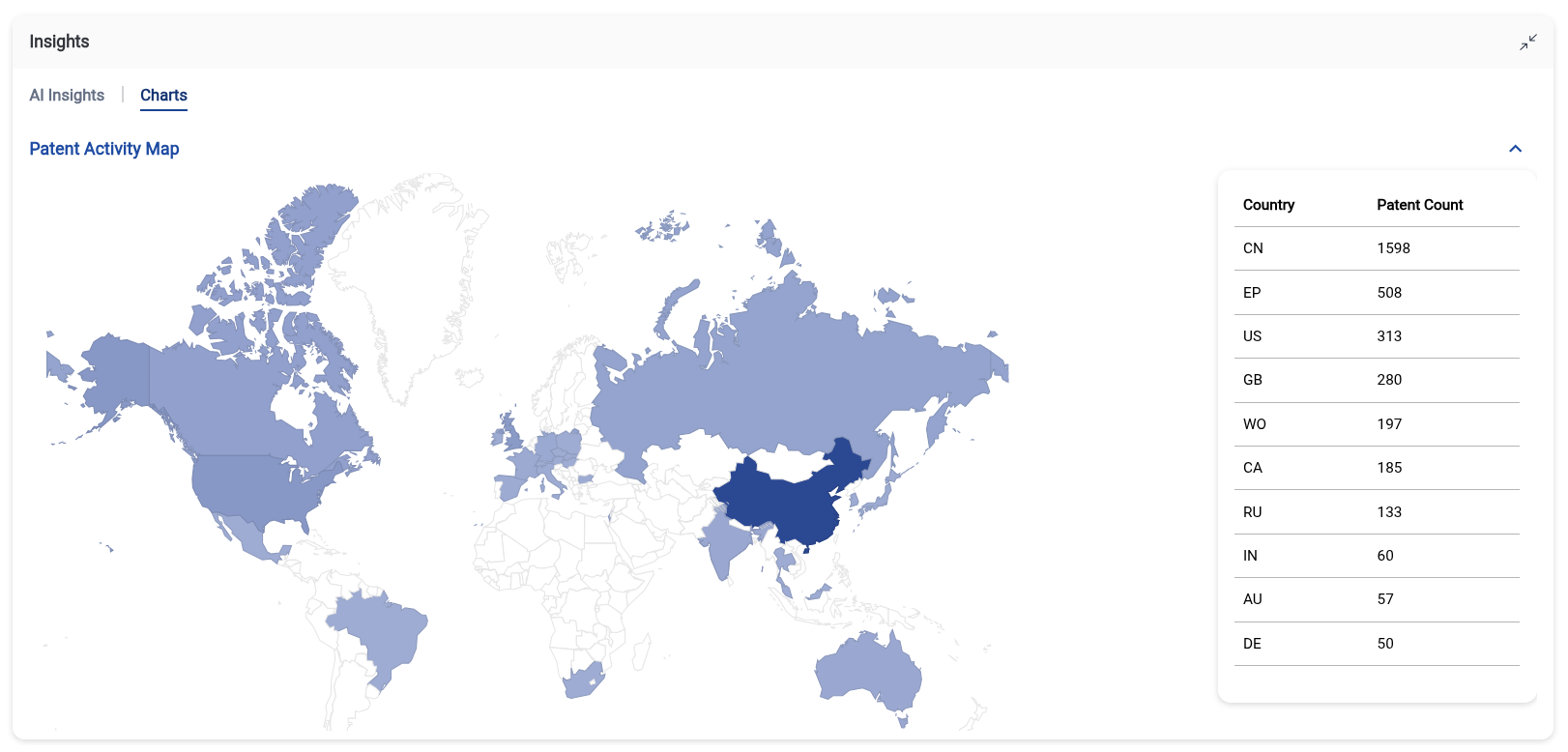
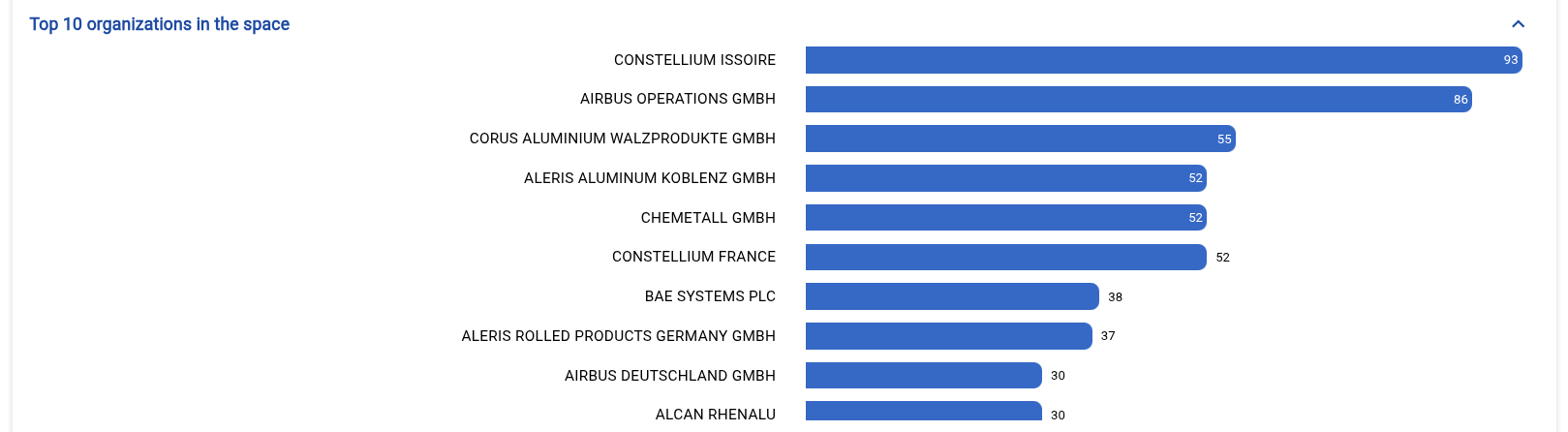
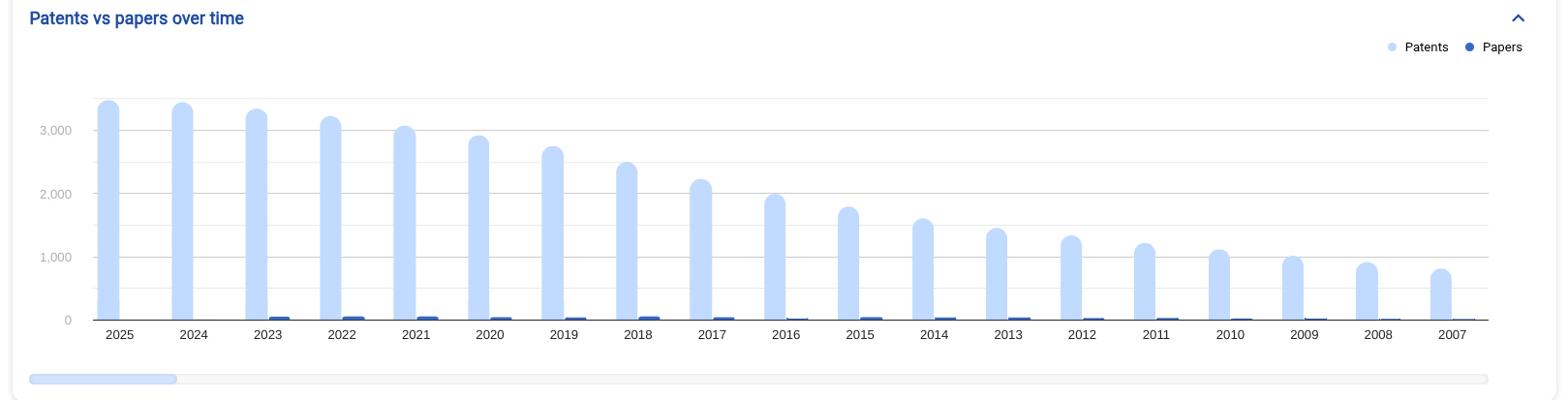
To scroll through time, click and drag the sidebar underneath the graph.
You’re able to click on each dataset within the charts to focus on that specific region, organization, and time period.
We’re excited to introduce a new feature that allows users to purchase and unlock closed-access research papers directly within Cypris using pre-loaded credits. This eliminates the need to manage multiple paper storage systems or navigate complex purchase processes.
Why We Built This Feature
Most organizations don’t subscribe to every major publisher and instead rely on individual paper purchases. If you don’t have a corporate card, you often have to go through approval processes or resort to personal funds. Once purchased, the paper might get lost in a publisher’s library or buried in a shared drive, making it easy to lose track of—and sometimes repurchase—papers.
To address this, we’re testing a credit-based system that lets you unlock papers directly in Cypris. Cypris processes the transaction under your ownership using your credit balance. Once purchased, the paper is immediately uploaded to your Cypris library, the credits are deducted from your balance, and everything is kept in one central location.
User Needs Addressed
- Seamless Purchasing: Unlock closed-access papers without leaving Cypris.
- Credit Balance Management: Easily check your balance and add more as needed.
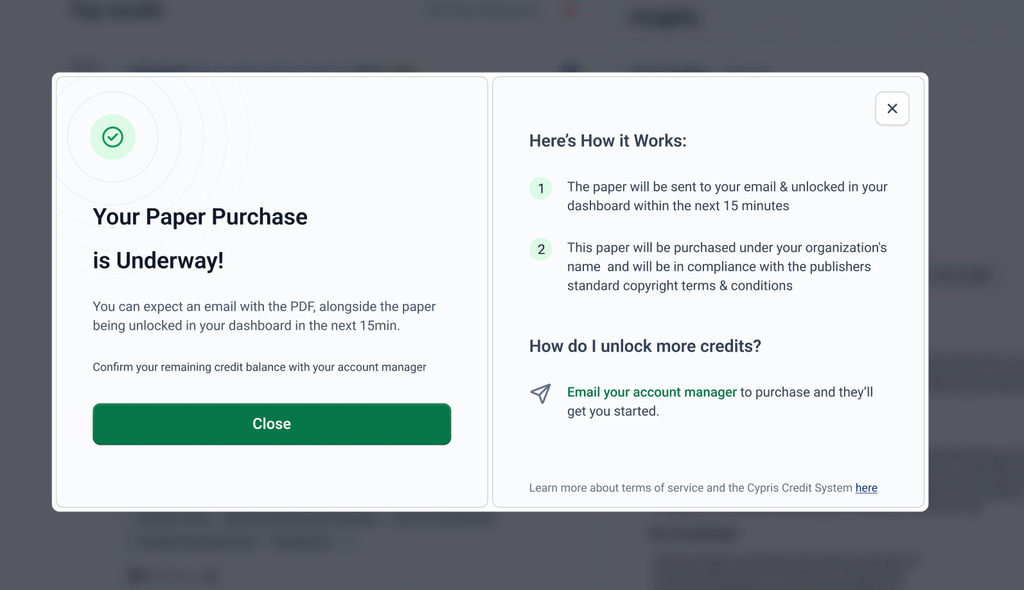
- Faster Access: See the paper in your dashboard within 15 minutes (we’ll work on reducing this time).
How It Works
1. Find a locked paper – Closed-access papers are marked with a locked icon.
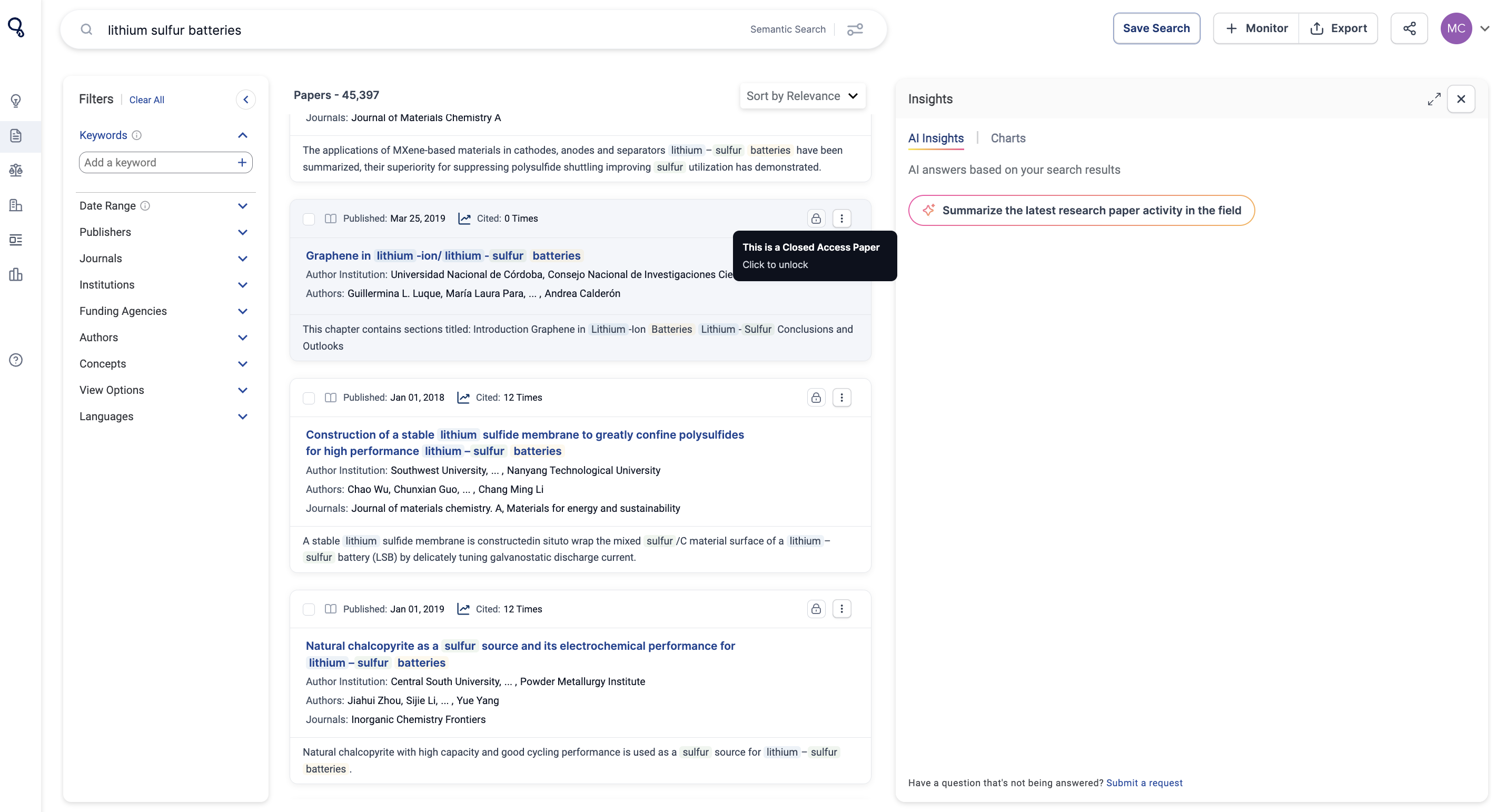
2. Check pricing & purchase – Click the icon to see the price, enter your email, and complete the purchase using your credit balance.
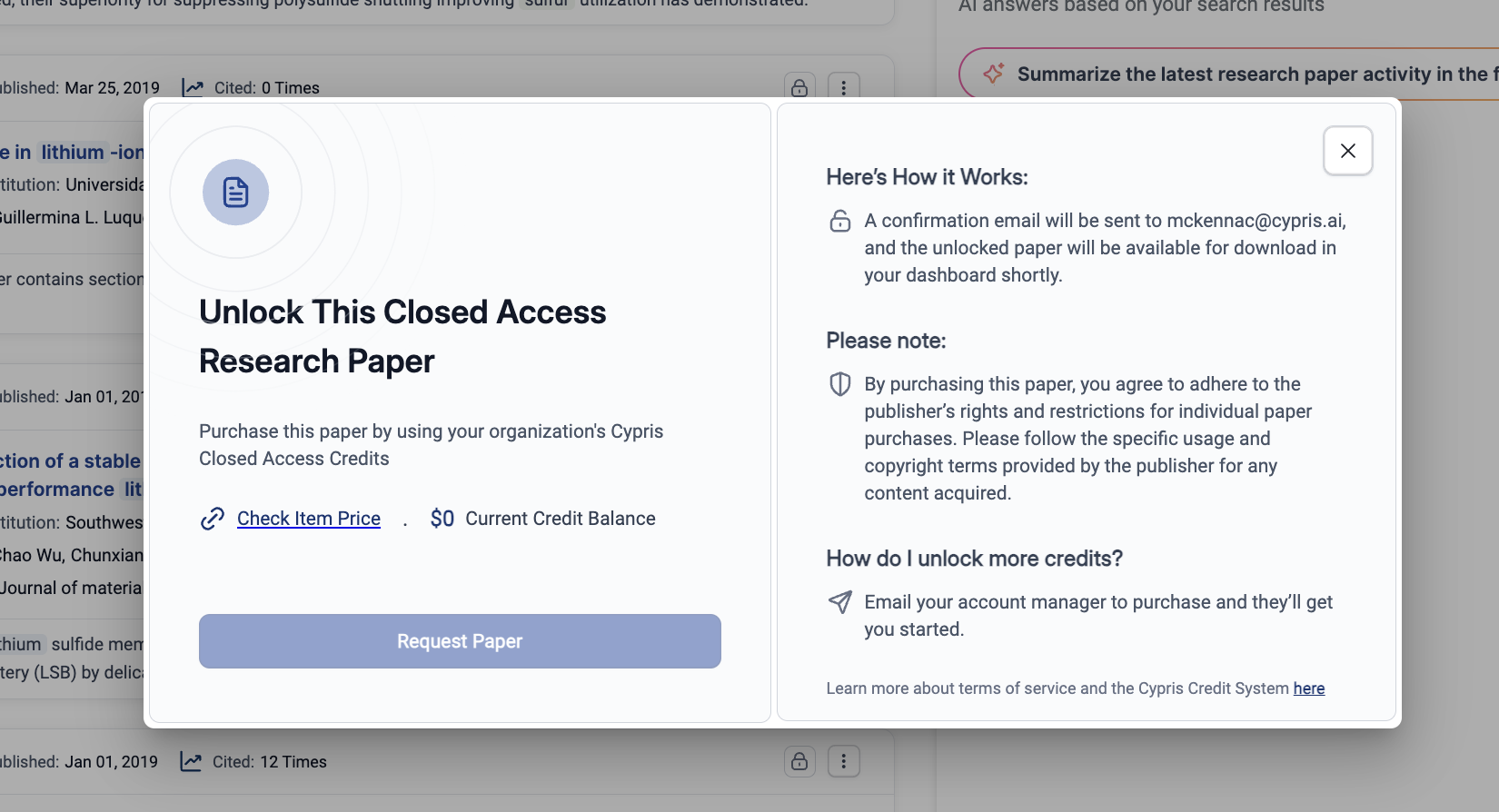
3. Track your order – Papers will show a ‘Pending’ status and unlock within 15 minutes (or the next morning for purchases after 6 PM EST).
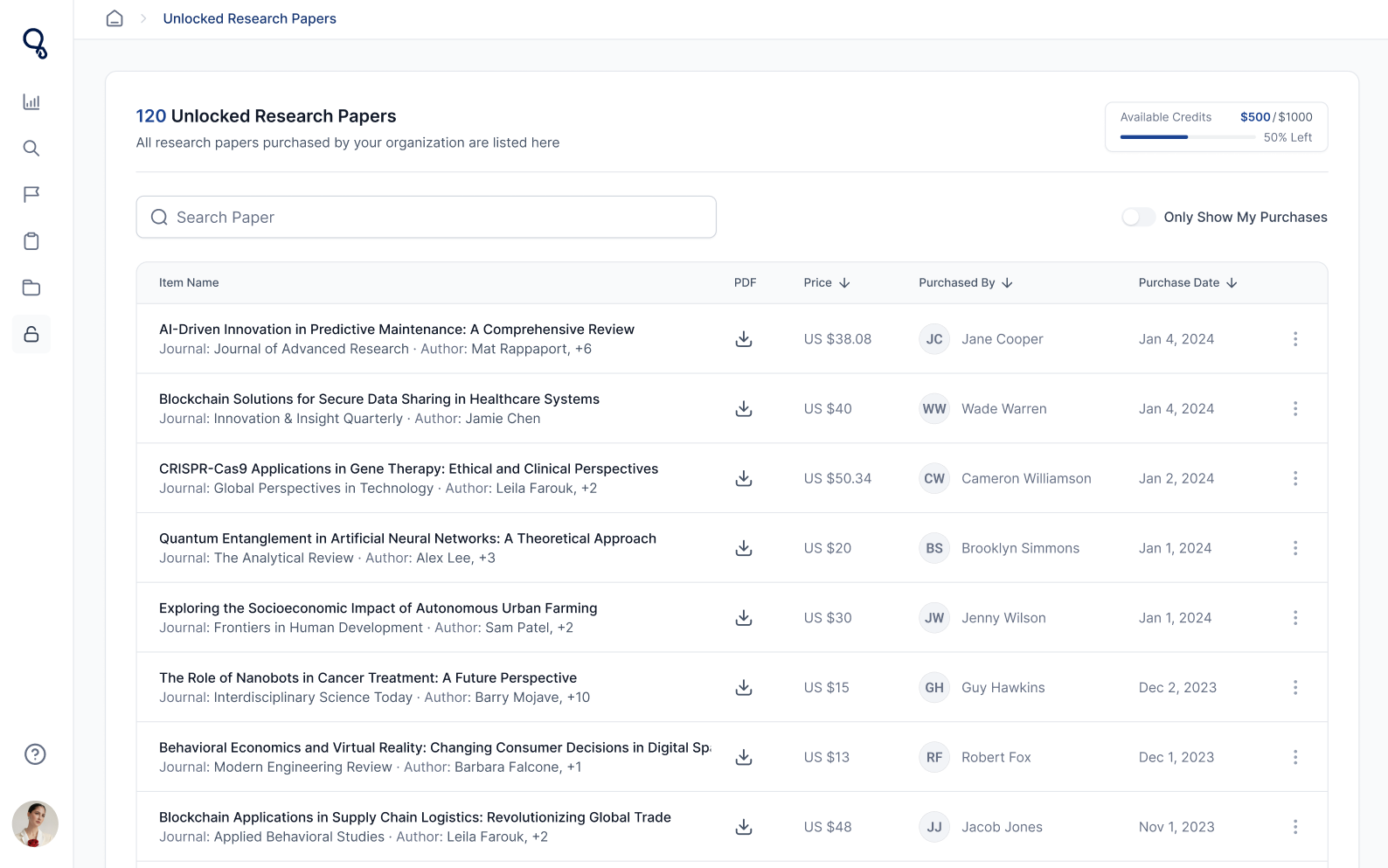
4. Access & download – Once unlocked, papers appear in the Unlocked Research Papers section, accessible through the left side panel, ready for download.
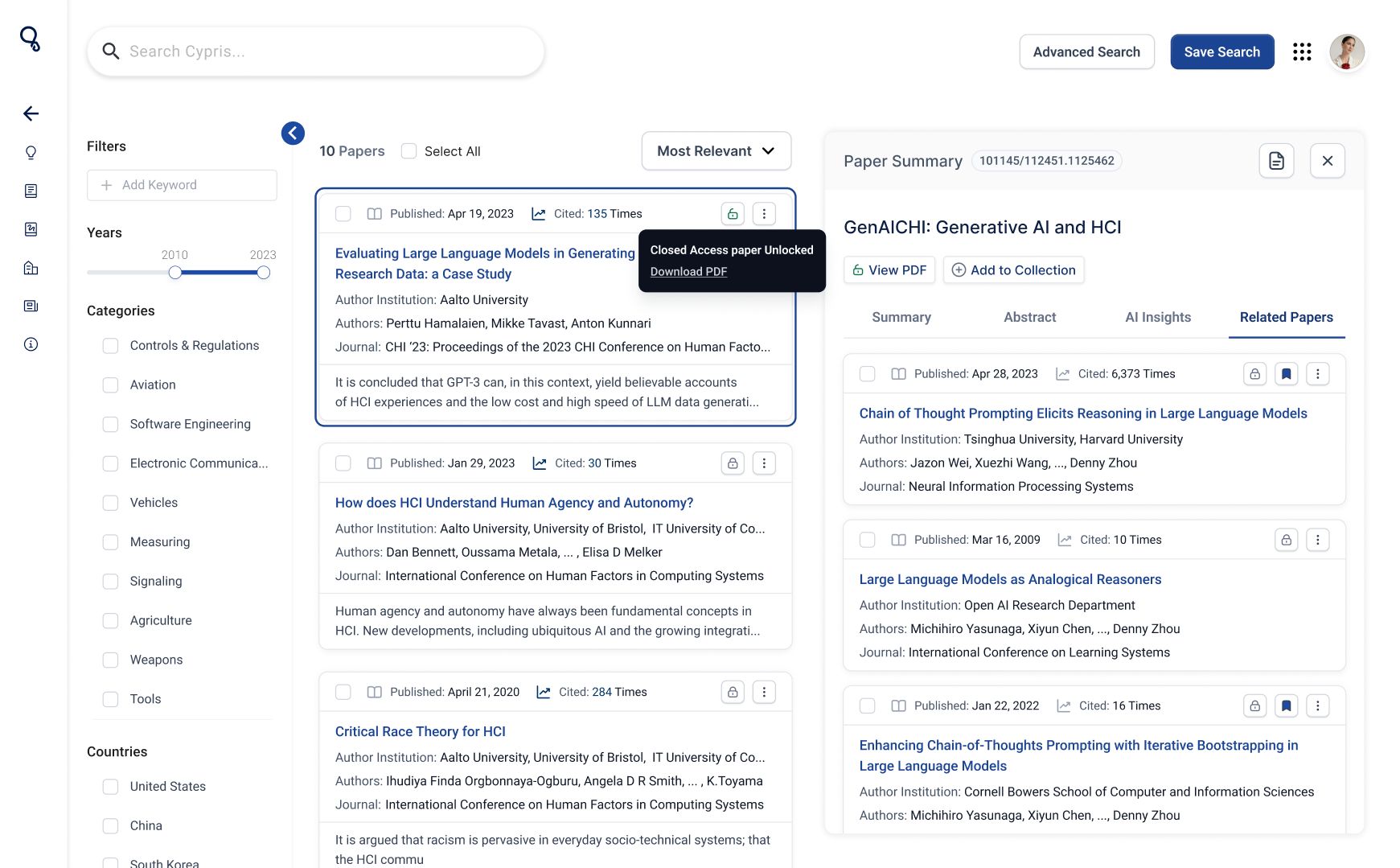
You can also navigate back to the paper and check for the green unlock button to confirm access.
Copyright Restrictions
Papers will be purchased in the user’s name individually and will be governed by the ‘individual paper purchase’ rights and restrictions issued by the publisher. Since we’re using our users' direct budget for purchases, Cypris is considered a payment and storage service provider for research (like Stripe and Google Drive).
We’re actively having conversations with publishers on terms for one day being able to have the copyright allowances to let users share papers organization-wide and expand what we can do with the papers, like integrate our AI. We’ll keep users posted as conversations progress.
Welcome to our guide on AI Profiles (Organizations). This feature is designed to help users uncover valuable insights about their competitors, partners, or organizations working within a field of interest.
Why We Built This Feature
Background
Users come to Cypris to get a clear picture of the state of innovation in a particular field. Commonly, they begin their analysis by identifying which organizations are actively investing R&D time and resources in the space. They want to know (1) Who’s in this market?, (2) What are they working on?, and (3) Where are they going?
Today, that analysis is being pieced together manually from a wide array of raw data which takes a tremendous amount of time and can lead to missed critical insights.
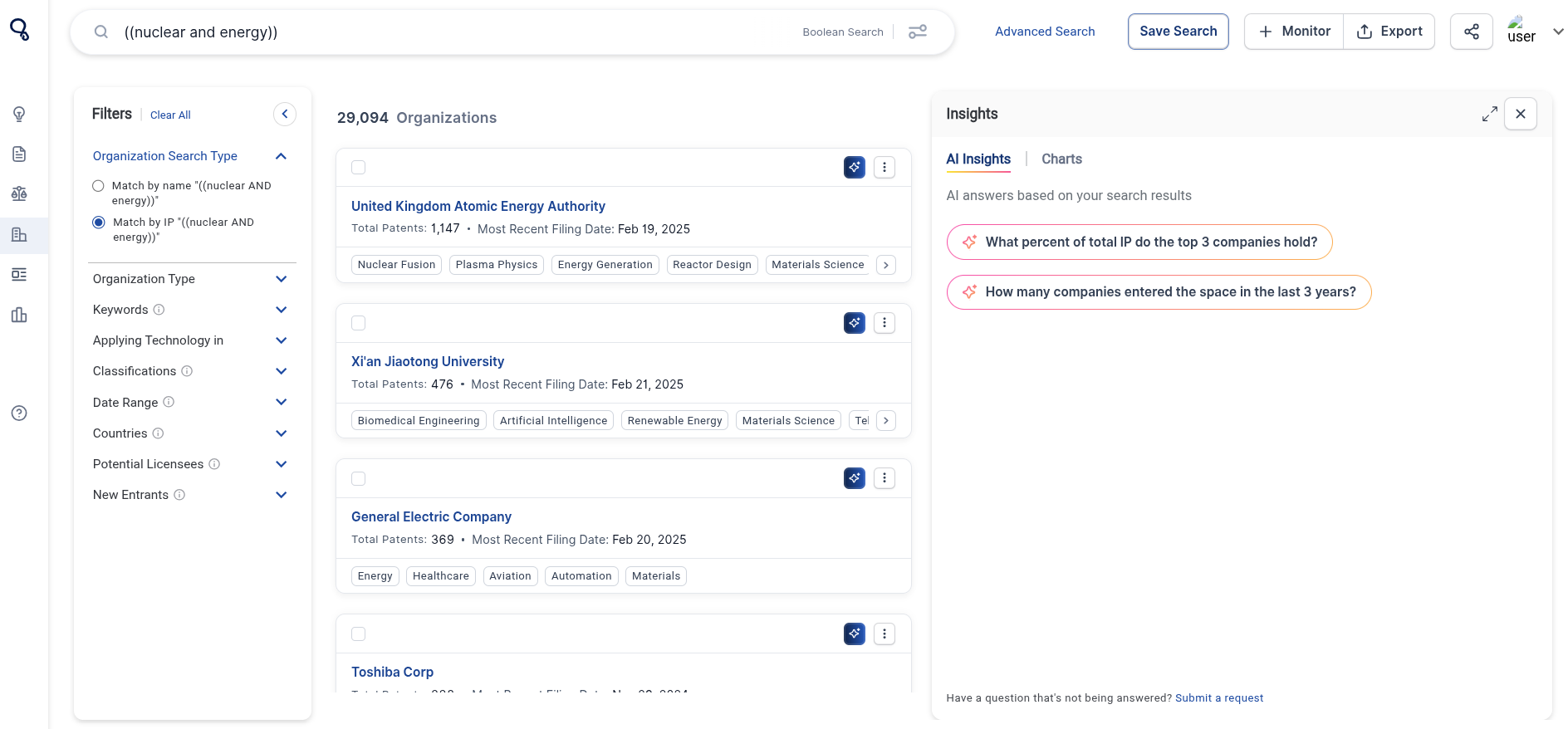
Using generative AI and the Cypris database, this feature allows users to automatically generate profiles on organizations found within search results to answer those 3 critical questions.
User Needs Addressed
- Automatically generate profiles on organizations to uncover:
- Who they are.
- What they are working on.
- Predictions on where they are going.
- Profiles can be downloaded to pdf and shared with colleagues.
How AI Profiles (Organizations) Works
- Run any type of search (semantic, boolean, or organization).
- Navigate to the organization's tab and identify 1 or many that you’d like to analyze.
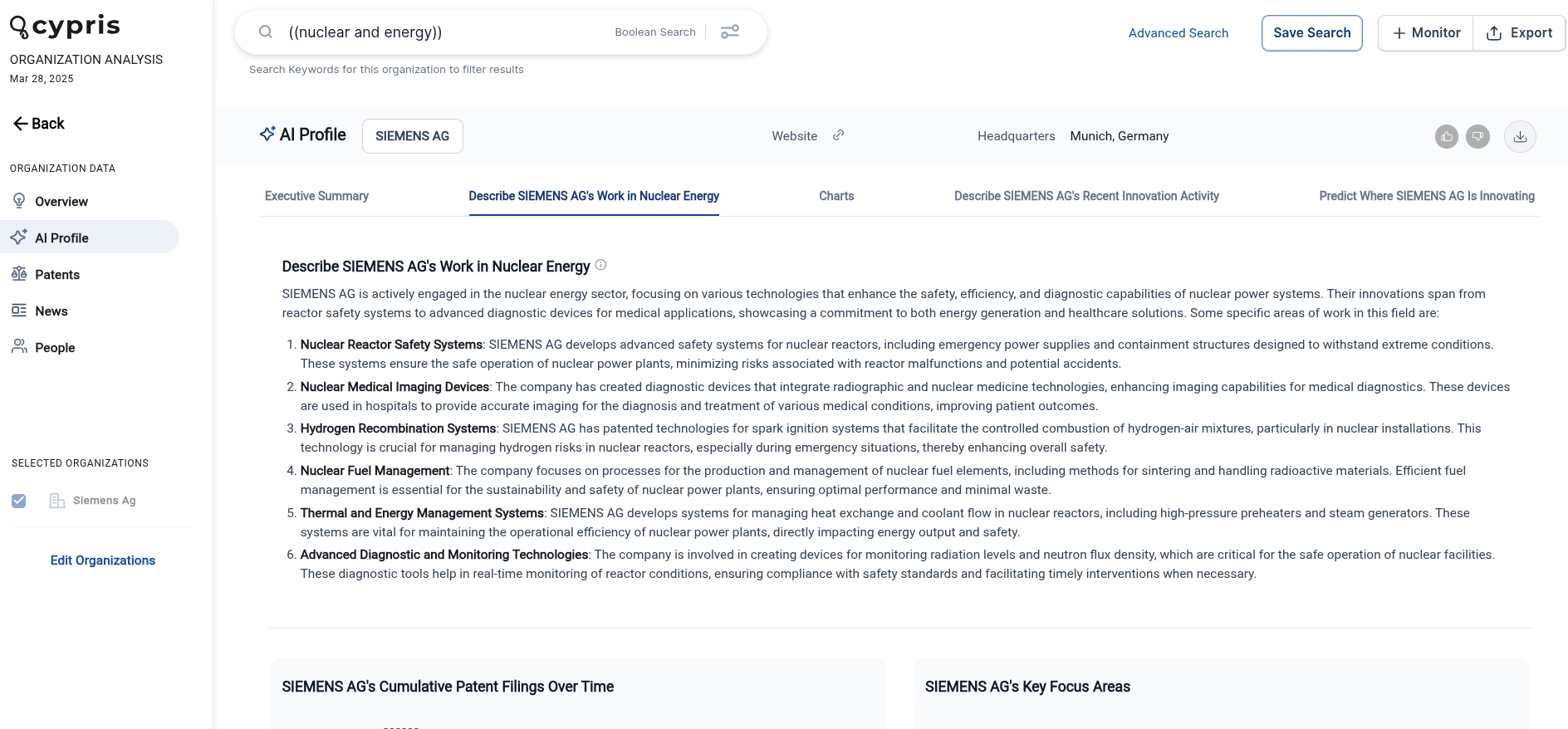
- Select ‘View AI Profile’ and wait 10-15 seconds (we’re working on making this faster).
- You can view the profile in the side panel or click ‘View on Full Page’ to go to the main company page.
- Select the download icon to download the profile to a pdf.
How We Built This Feature
This feature is powered by ‘retrieval augmented generation’ or ‘RAG’.
Explained simply, RAG is an AI technique that focuses the answers you get from language models by combining external contextual knowledge with text generation. When you ask a question, a RAG model searches through a focused set of documents (or ‘context’) to find the most relevant information. It then uses this information to generate a response, effectively blending up-to-date data with its language skills. This means you get more accurate and context-aware answers, making the AI's responses more accurate and reliable.
Cypris RAG Context for This Feature
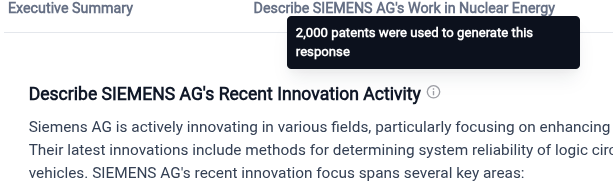
For this feature, we’re primarily looking at the patent portfolio of the company being analyzed alongside some external data retrieved on the entity from our data partner Crunchbase.
When analyzing just the meta-data (title & abstracts) we currently can look at 600-700 patents.
When analyzing the full text we can include around 50-60 patents.
For different prompts, we look at different amounts of context. For example, when a keyword search is done on a company page, we only look at patents that include that keyword to generate the second prompt ‘Describe {Organization’s} work in {user query]’.
.avif)